F5 Distributed Cloud Source | Edit on
Distributed Cloud Content Delivery Network (CDN) via a Layer 7 Route off of a HTTP-LB
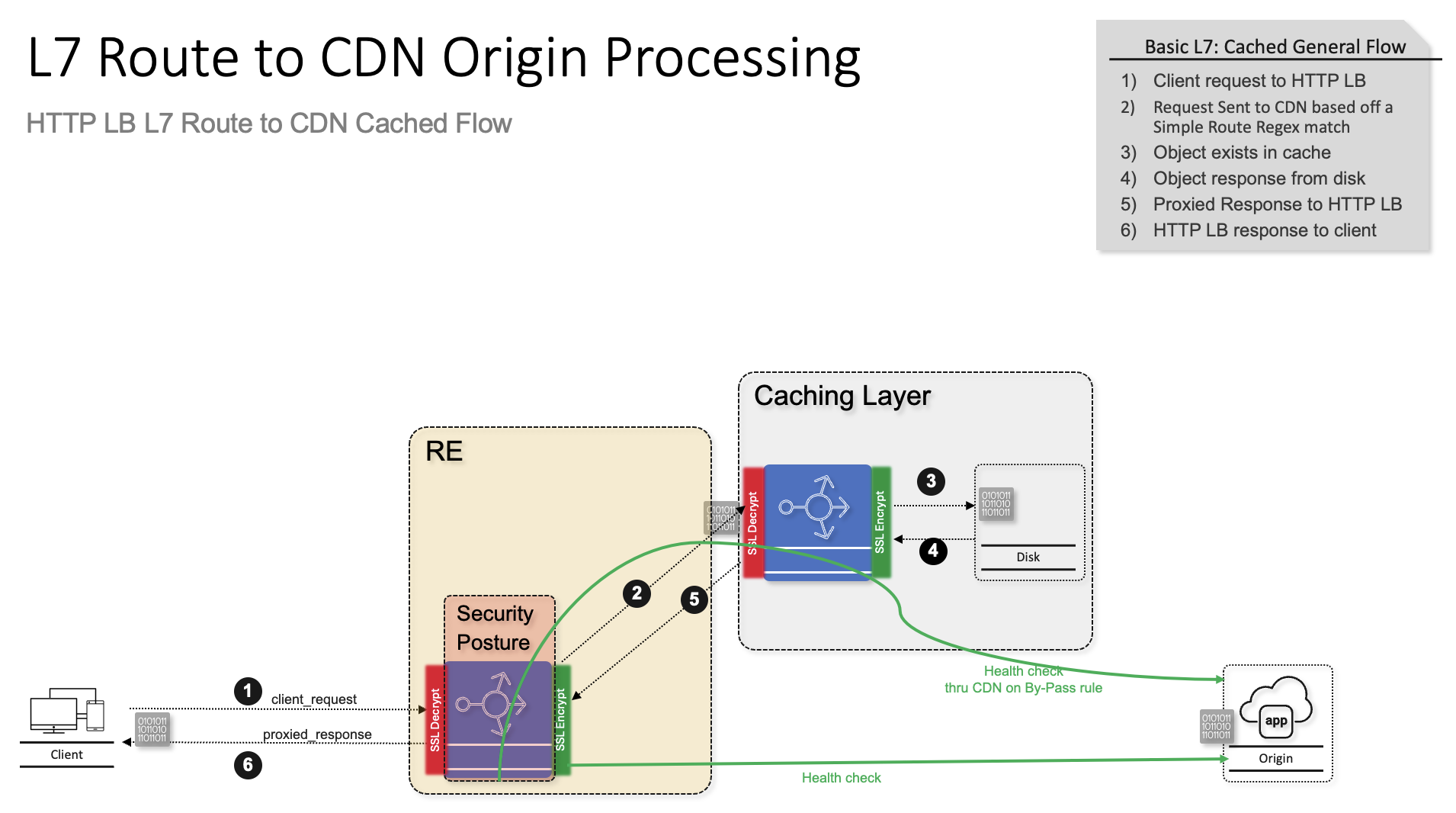
This repo will provide a solution to introduce a process to configure a Content Delivery Networks (CDN) for static caching off of an HTTP-LB Layer 7 route with the security enforcement point on the HTTP LB.
CDNs are essential to delivering performant web applications, especially when serving static assets, such as stylesheets, scripts, images, fonts, and other cacheable resources. In this article, we will explore how to deploy a CDN distribution behind an HTTP Load Balancer (LB) in F5 Distributed Cloud (F5 XC) and configure a regular expression (regex)-based route to direct specific file types—like css, js, jpg, png, and others—to the CDN for caching and accelerated delivery.
Using this architecture, your load balancer acts as the central entry point, and traffic is routed intelligently using regex rules. Cacheable file types are sent to the CDN distribution, while all other requests can be forwarded to other services, such as origin servers or APIs. This approach gives you both flexibility and control over application-level routing while adding a security control point at the HTTP-LB.
Highlevel Topology:
Step-by-Step Guide
- Once logged into your F5 Distributed Cloud Console
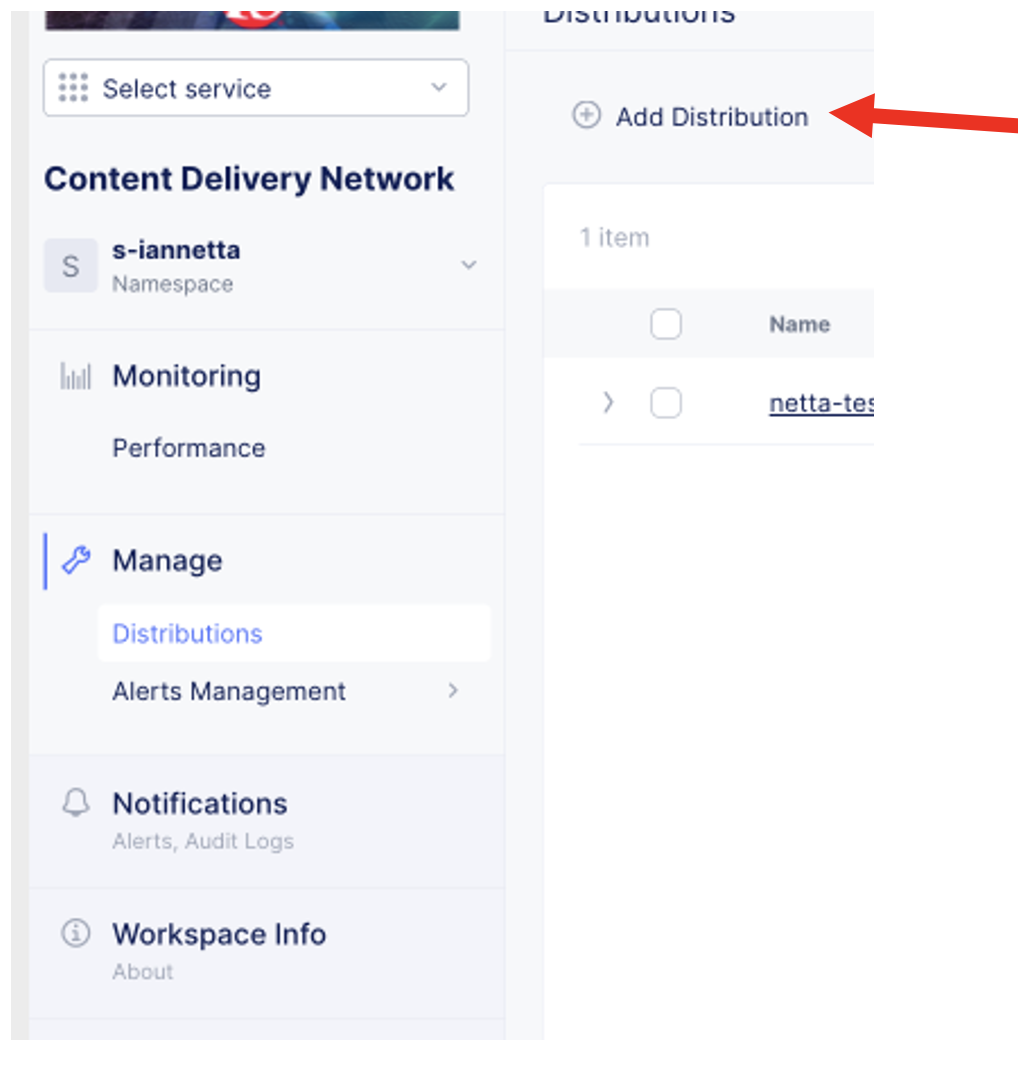
Goto CDN Distribution Tile
Click on Add Distribution
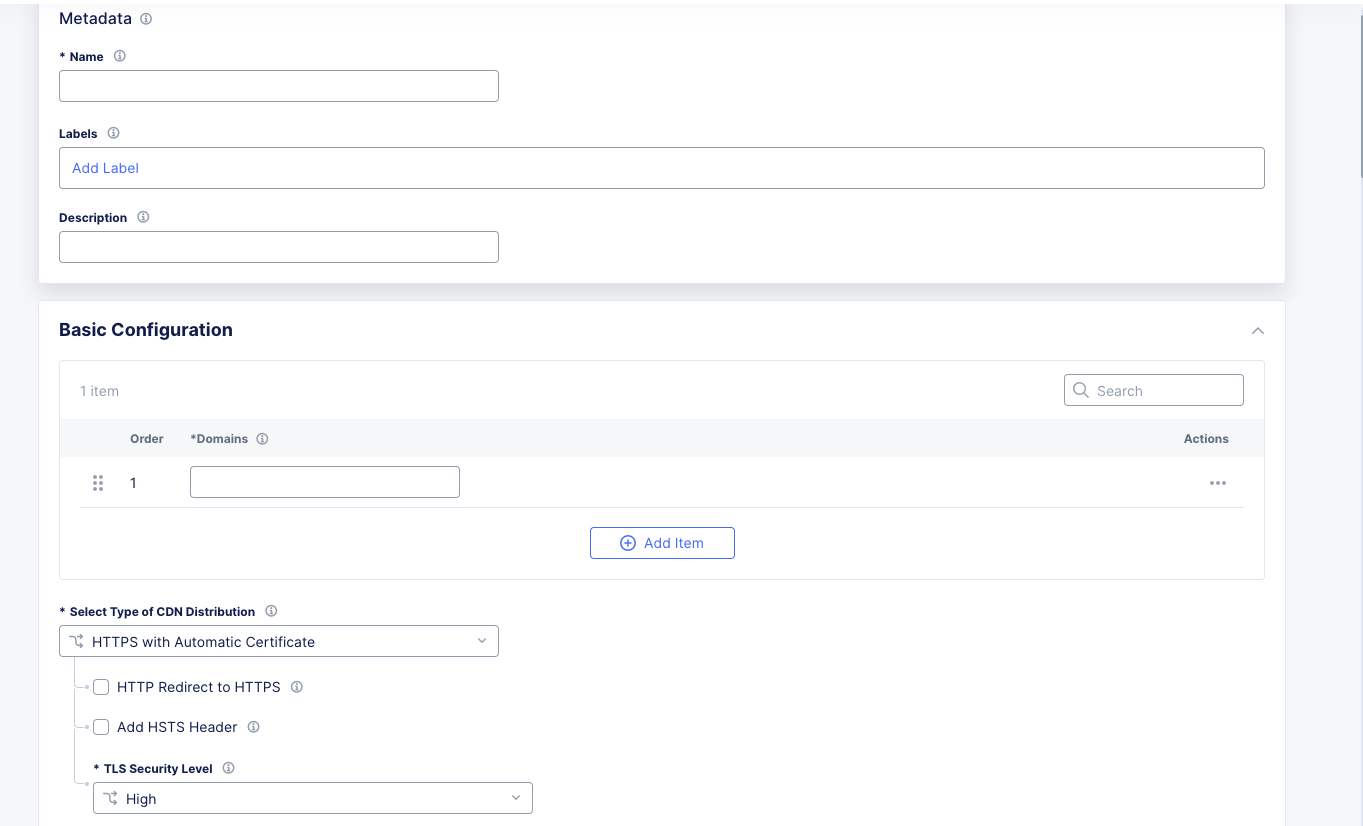
CDN Distribution
Fill out Metadata and Basic Configuration:
Metadata:
Name
Labels (as needed)
Description
Basic Configuration
Domain
Certificate Options
Origin Config Sub Menu:
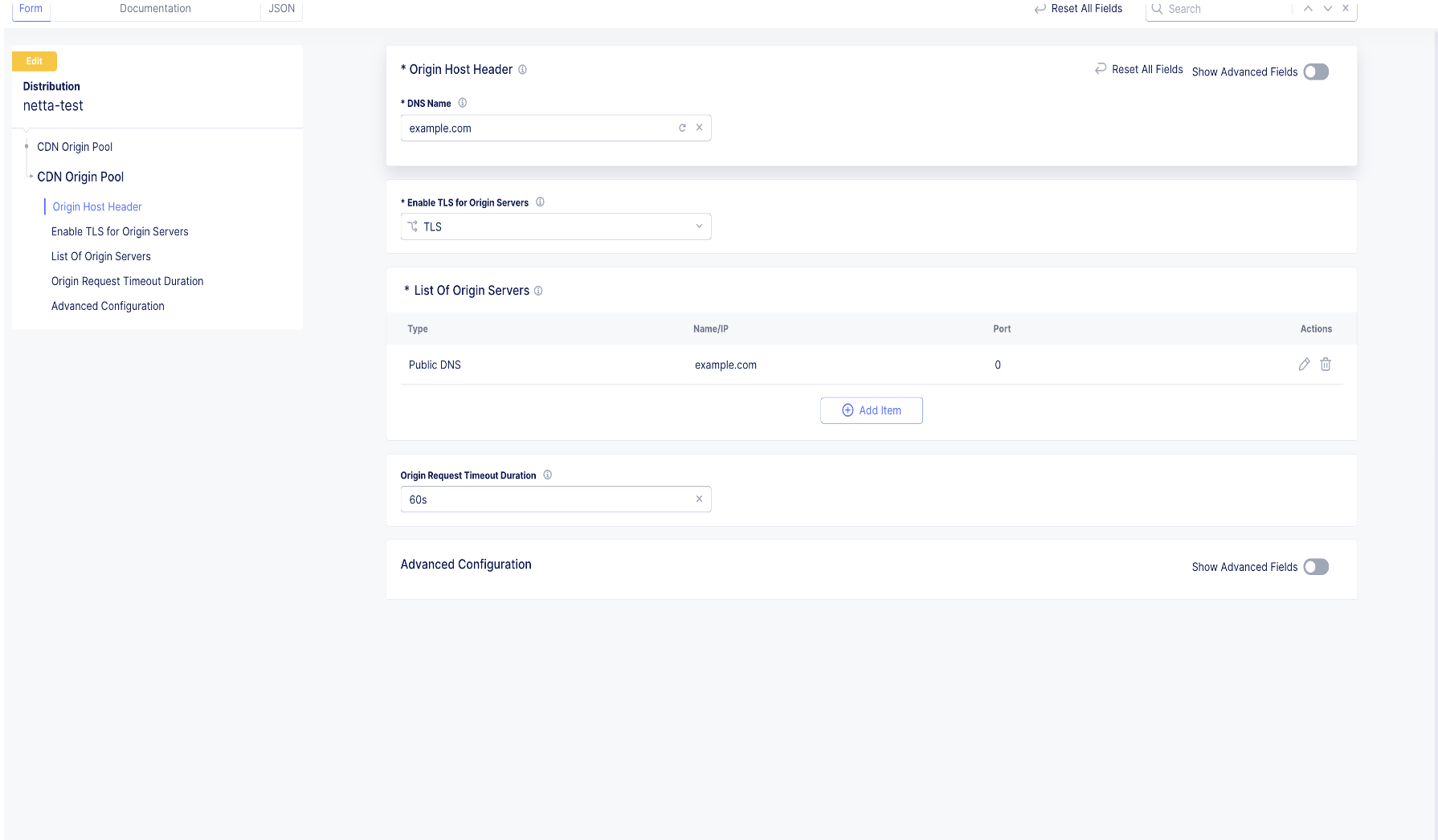
Fill in the proper Origin Details:
Origin Host Header
DNS Name (Host Header used to reach origin)
Server Side TLS Options to Origin
Add CDN Origin
This is the actual application via public DNS or IP
Optional Features:
Origin Request Timeout
Apply
Caching Policy Sub Menu:
Create any specific caching policy if no policy is created the default is to cache eligible objects for the web page based on default cache header
Cache TTL Mode
Can use TTL from origin, overide, or disable
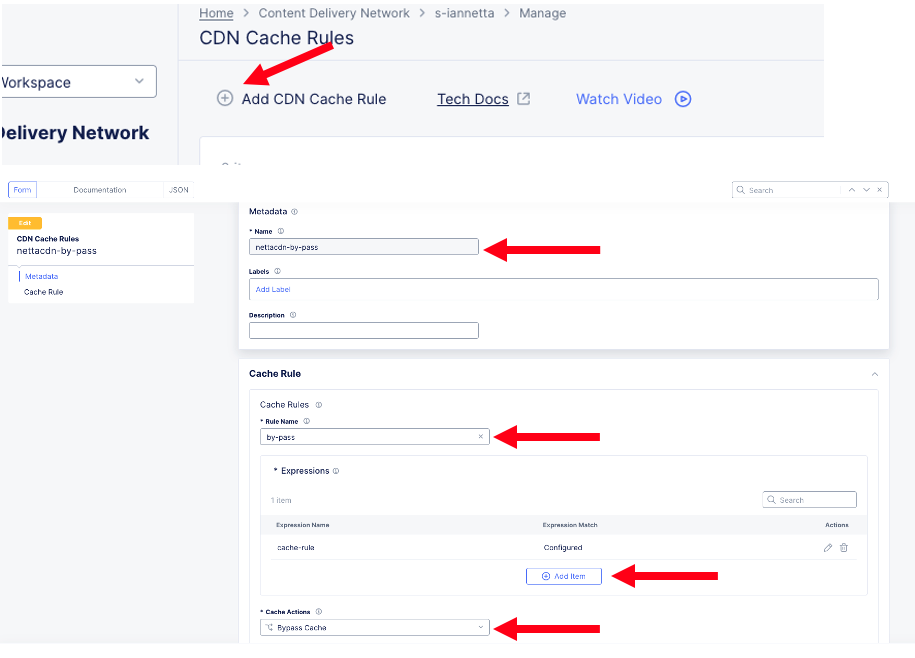
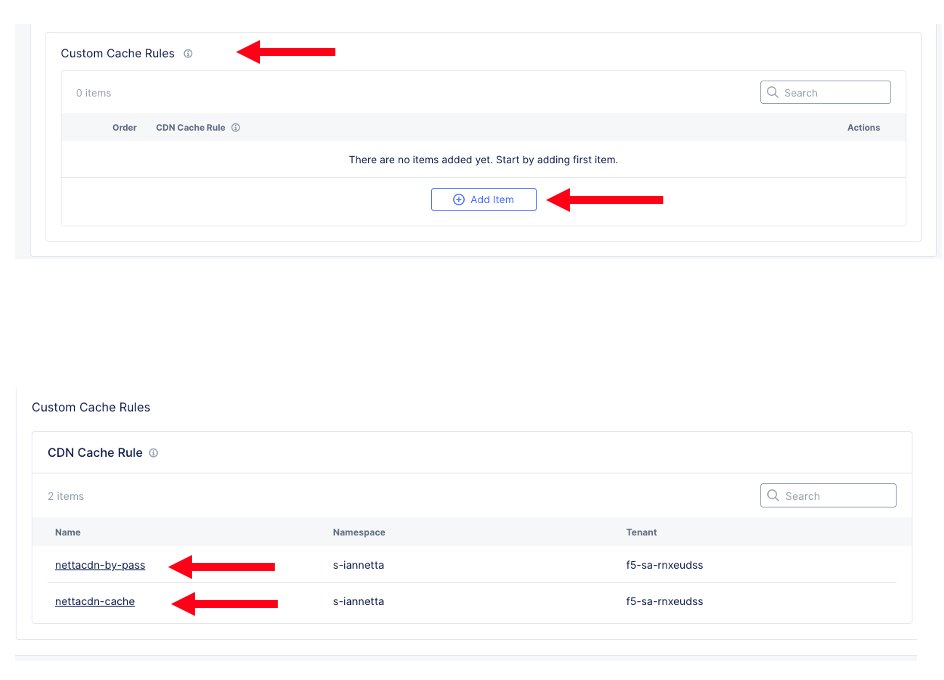
Create a custom cache rule:
Bypass rule for health checking a specific path from the HTTP-LB through the CDN distribution to the origin
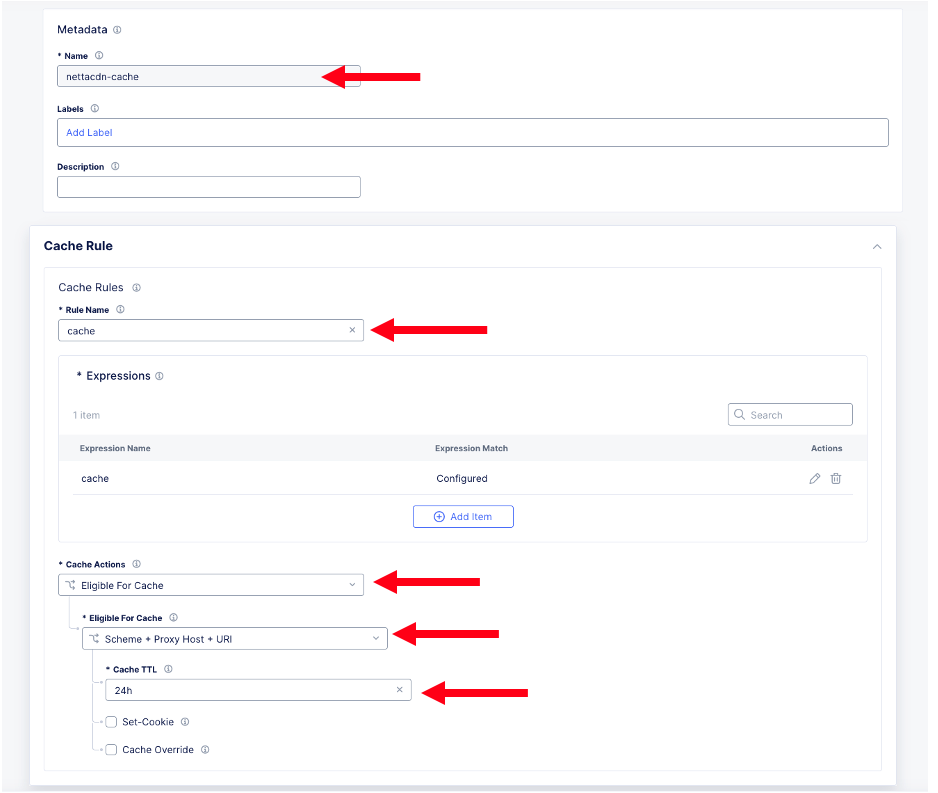
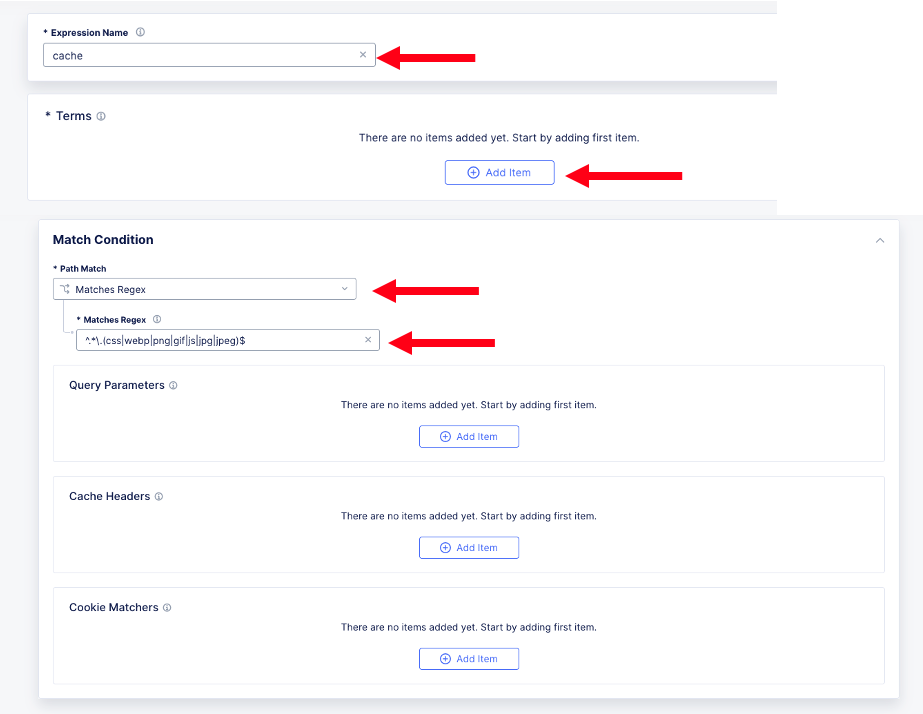
Create caching policy based on regex expression for static content. Regex used ^.*.(css|webp|png|gif|js|jpg|jpeg)$
Add Expression Name
Add Terms
Add Conditions
Attach Policy to CDN Distribution
Example shows adding Bypass and Cache rules:
WAF and Security Controls:
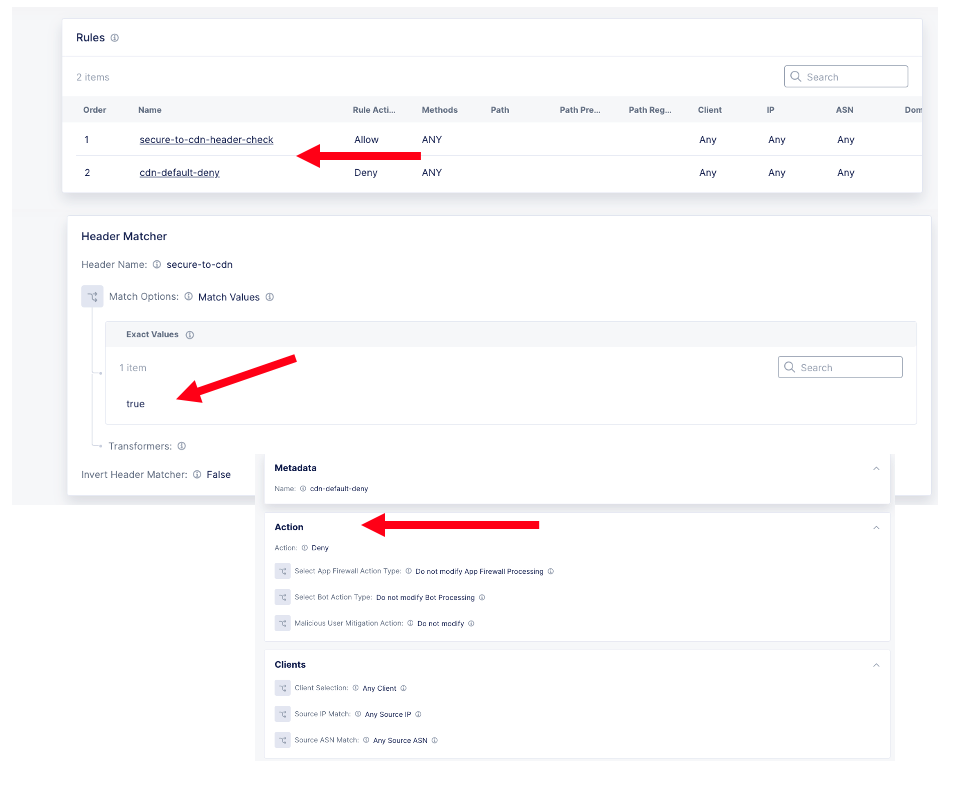
All security controls are still Private Preview with the exception of a Service Policy to limit access from HTTP LB to CDN Distribution only
Web Application Firewall (Preview)
API Protection (Preview)
DoS Protection (Preview)
Common Security - Service Policy (Preview)
Recomended approach is to set a service policy on the CDN to only allow a request header from the HTTP LB and deny all else (example shown) we will inject the header on the HTTP LB configuration
HTTP LB CDN Specific Configuration to Route to the CDN:
Prerequisite for this section is understanding how to configure an HTTP-LB and advertise it to the internet. We will only show case Origin (including health check), layer 7 route to cdn with a fallback pool, and injecting a header (to match service policy on CDN distribtution)
- Once logged into your F5 Distributed Cloud Console
Goto Multi-Cloud App Connect Tile
Click on Add HTTP Load Balancer or Edit the configuration of an existing HTTP LB
Origin Configuration
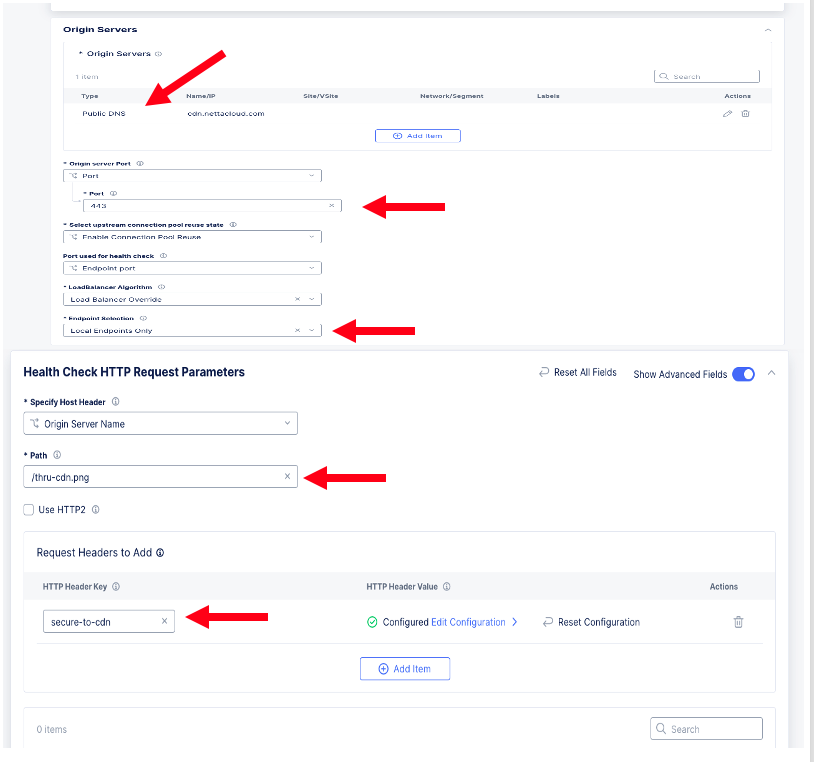
Add Origin Server (example uses public DNS of CDN Distribution)
Port
TLS to Origin
Local End Points only
Add Health Check to go Through CDN
Specify proper host header
Path on origin to perform health check thru CDN Distribution (Example show /thru-cdn.png)
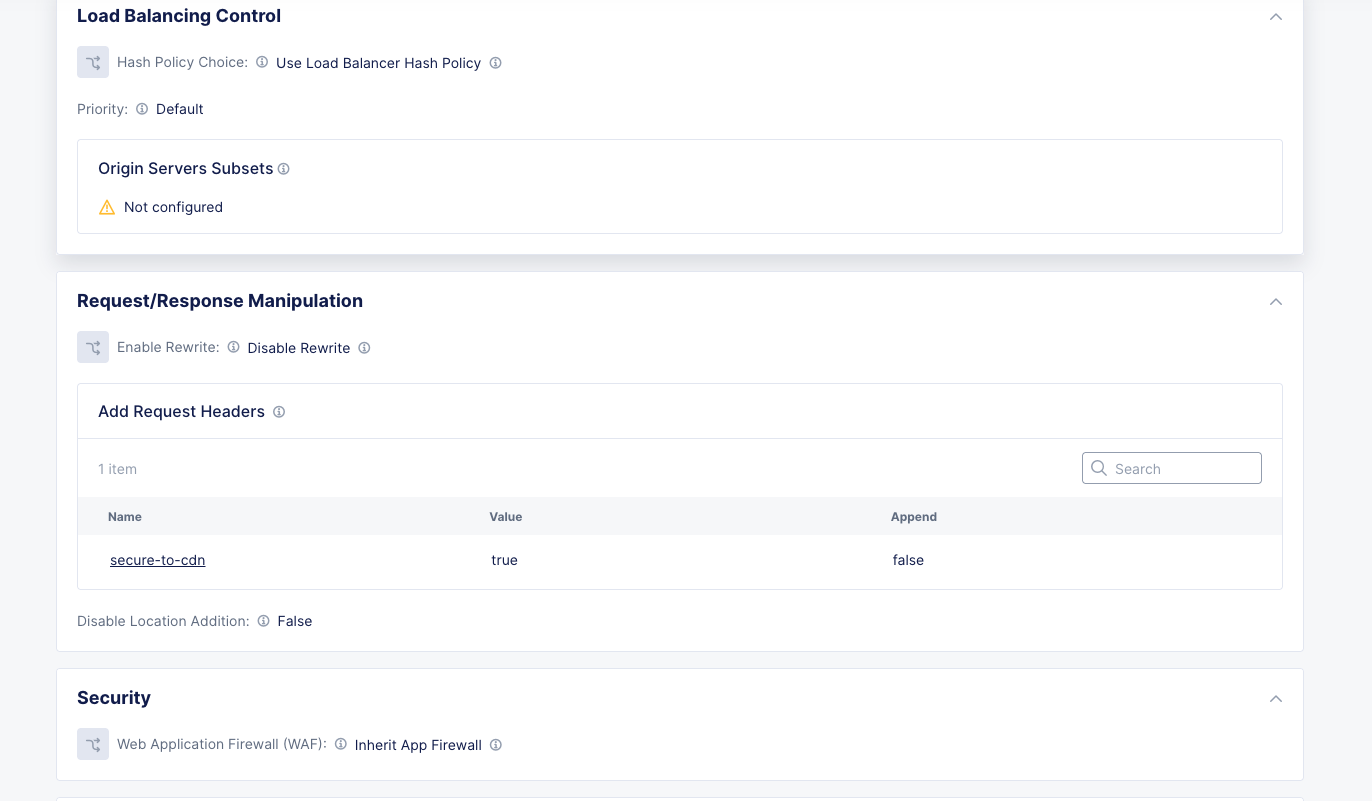
Add Request Header so CDN Distribution accepts HTTP Request and passes to origin via the bypass rule cache rule on CDN
Add Layer Route to CDN
Goto Routes section and edit configuration
Add a simple route to CDN sending all static files via a Regex match ^.*.(css|webp|png|gif|js|jpg|jpeg|docx)$
Add origin servers to route (Example shows cdn distribution cdn-xcturltes and fallback pool of the actual cdn server f5airlinebackend)
Advanced Options to add the proer secure-to-cdn header so cdn distribution accepts HTTP request from L7 route