F5 Distributed Cloud Source | Edit on
Distributed Cloud HTTP-LB Field Recommended Settings
Guide is a Work In Progress
Introduction
This document provides guidance and recommendations for establishing a foundational HTTP Load Balancer (HTTP-LB) configuration. The suggested settings are based on practices gathered from field teams with extensive experience deploying HTTP-LBs and related objects within customer environments for PoV purposes or to establish a baseline deployment model. Since this is not an exhaustive configuration guide it should be utilized as a starting point to support customers in their Distributed Cloud journey and inital deployments of HTTP-LB. Customers are encouraged to customize and adapt these recommendations to meet their specific requirements and deployment scenarios.
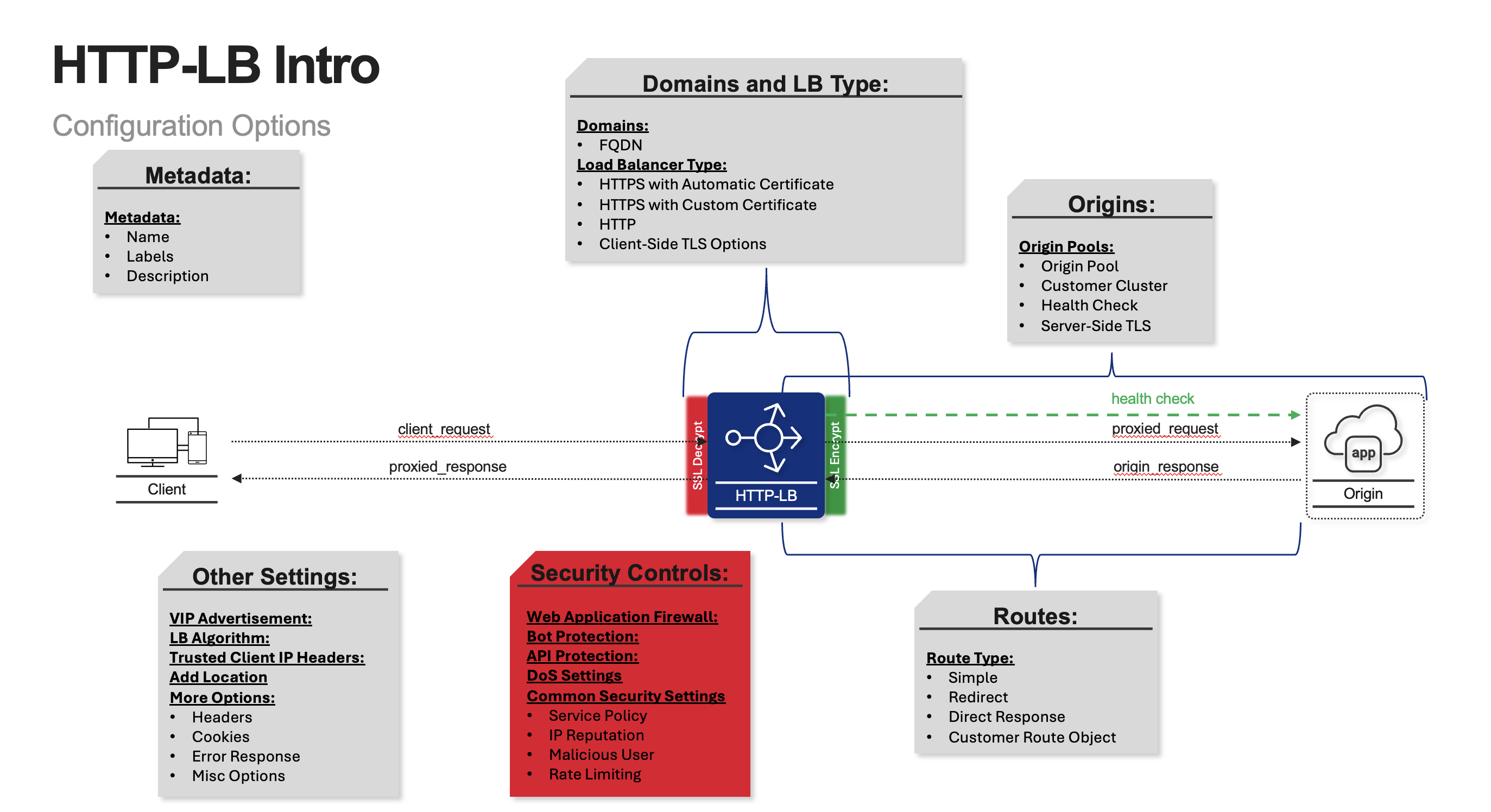
Covered Topics:
Recomended Settings (TLDR Version)
Domains and Certificate
Origin Pool Settings
Health Checks
Routes
Web Application Firewall
DoS Settings
Common Security Controls
Other Settings
Recommended HTTP-LB PoV Settings:
Note
Domains and Certificates:
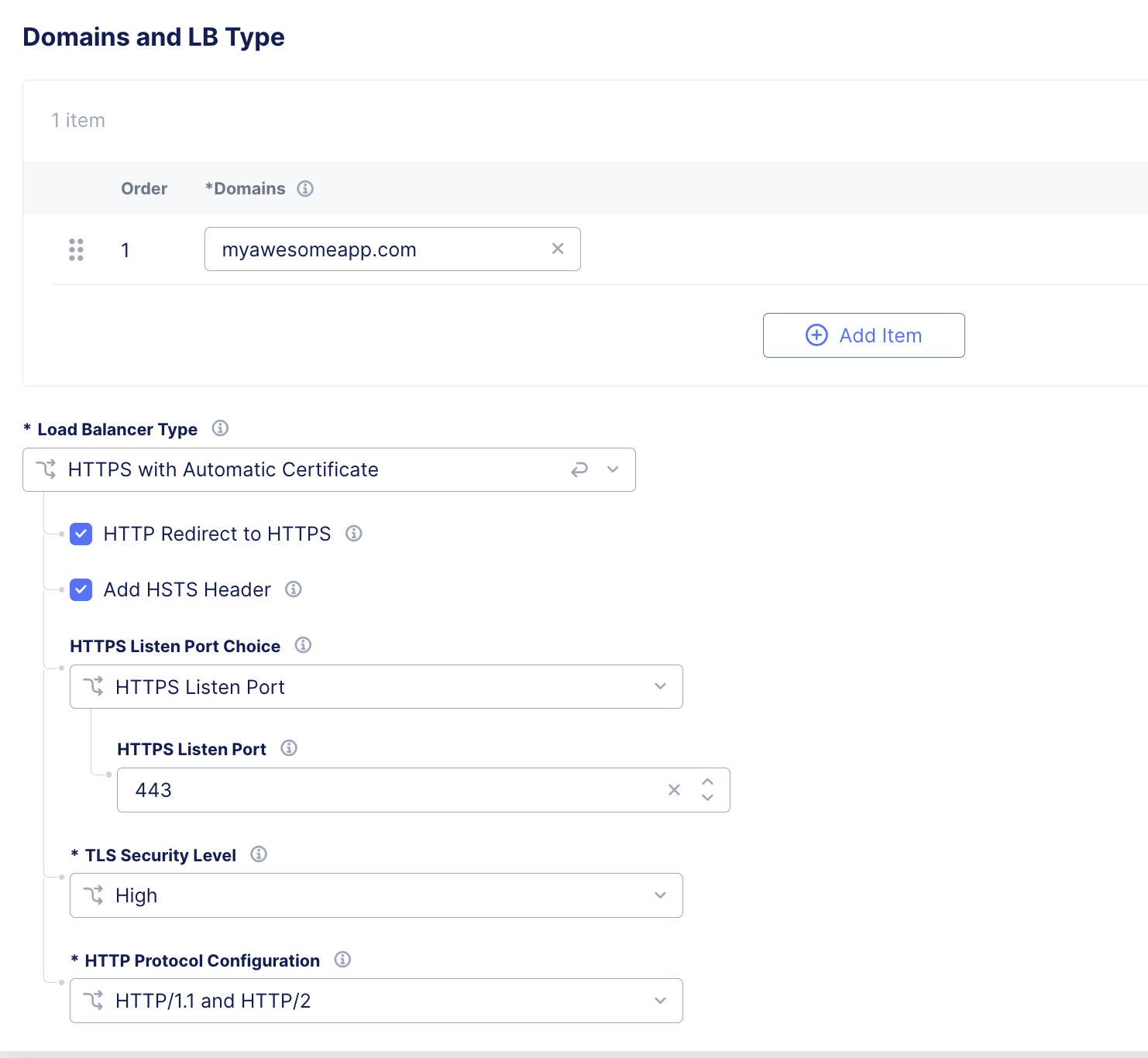
Dependent on client application, but for a PoV the follwoing settings are the most common. Utilize Auto-Cert capability for domain and certificate, add the HTTP Redirect to HTTPS, add HSTS Header, Listener Port 443, Client Side TLS High setting, both HTTP/1.1 and 2 Protocol
Note
Origin Pool:
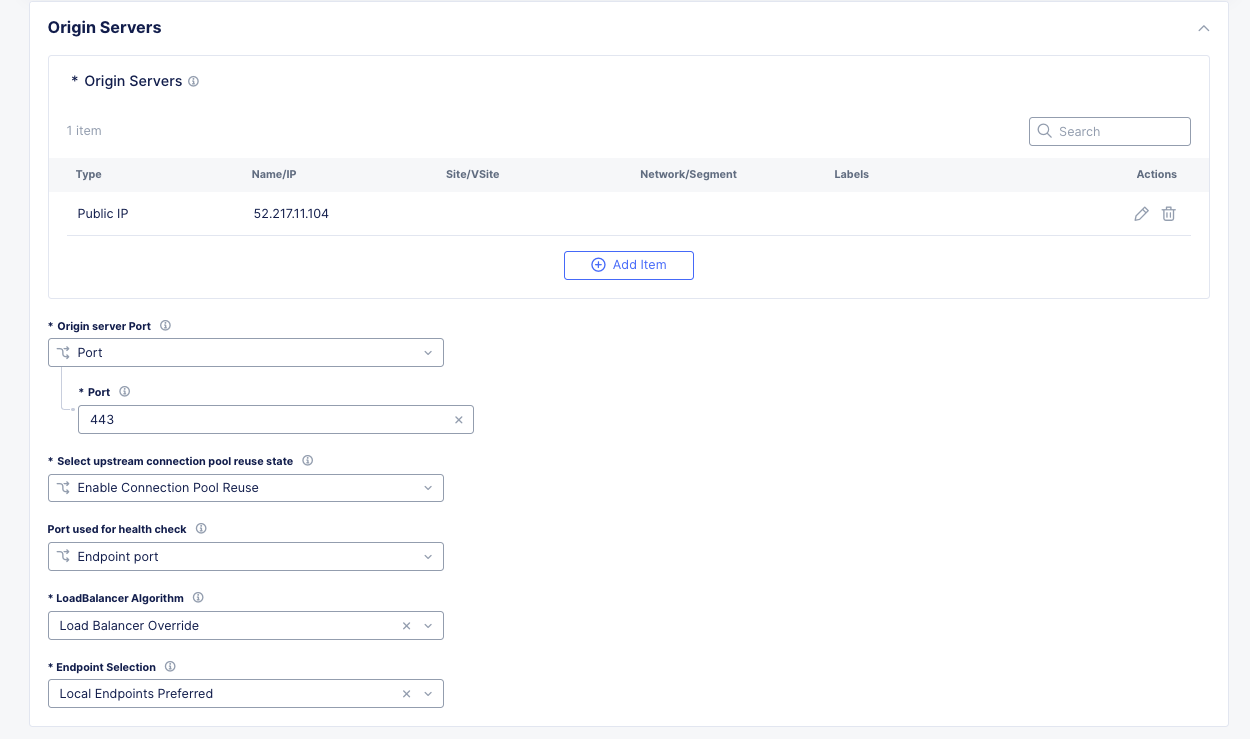
We typically will utilize multiple orging pools depending on application. This example is showing a single origin pool with a single endpoints
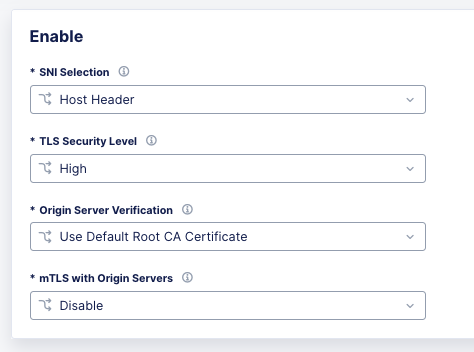
Set a name and configure the Origin Discovery. Recommended to use IP in this example we are using a public IP Address, Connection Pool Reuse, Same Health Check Port as Origin, Accept the Load Balancing Algorithim, Local Endpoints Preffered, and Server Side TLS options as Host Header.
Note
Health Check:
Domains and Certificates:
Below is a screen shot of the options for an “HTTP LB Domains and LB Type” settings.
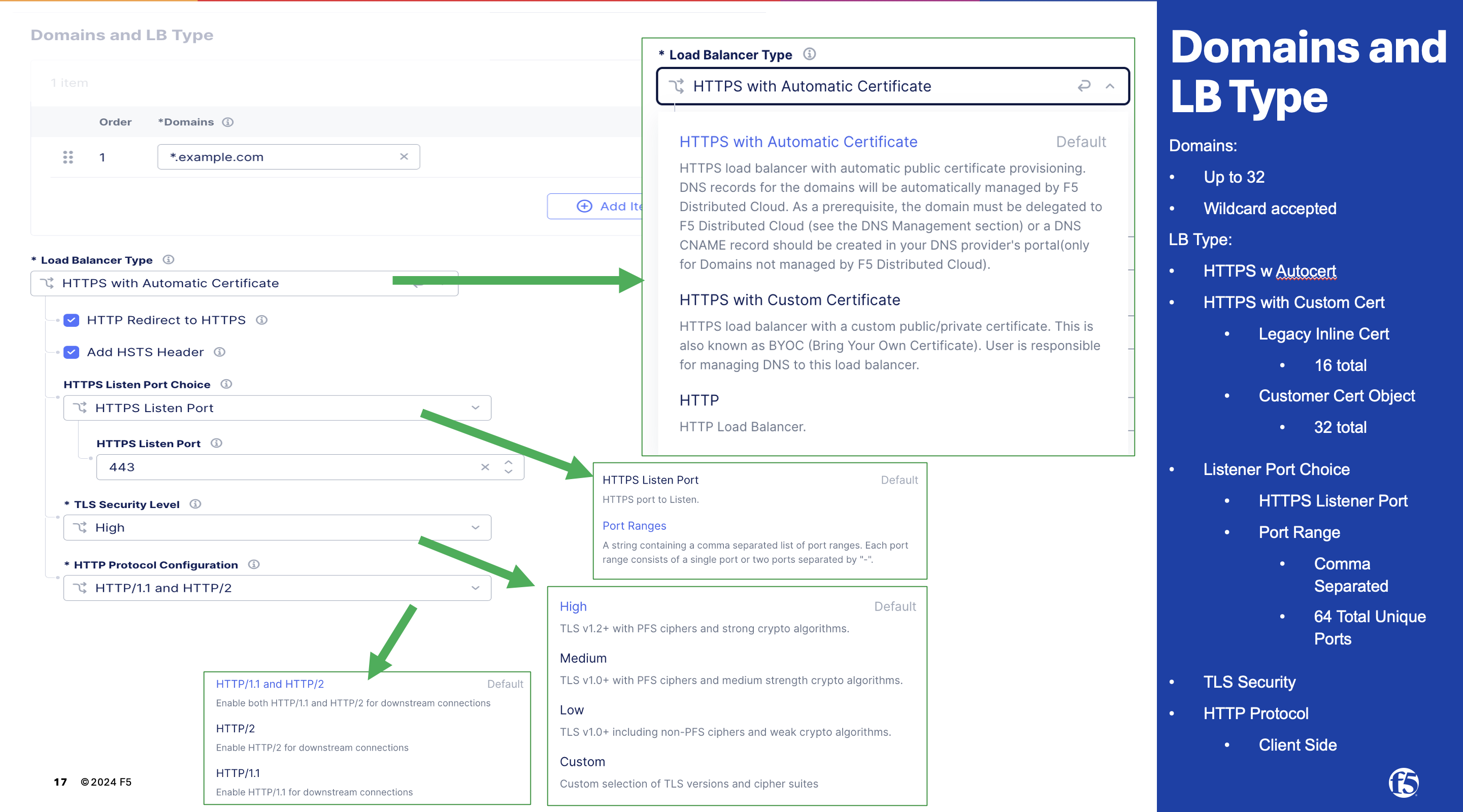
- Options and Settings for Domains:
Can have up to 32 Domains Per HTTP-LB
Wildcard prefix is supported (example in picture above)
SAN Certificates are supported
Auto Certificate utilizes Let’s Encrypt for a Primary Domain Delegated to Distributed Cloud DNS. There is an option for Auto Certificate with user managed DNS. Customer needs to buildout the challenge record manually in their DNS or build any automation they prefer.
Typical Domain and Certificate Settings for a PoV: