I want to introduce a few concepts that we will be utilizing. The first concept is what we call a Virtual Site.
A virtual Site provides us the ability to perform a given configuration on set (or group) of Sites. The second term is Origin Pool.
An origin pool is a mechanism to configure a set of endpoints grouped together into a resource pool used in the load balancer configuration.
The typical CE Site deployment consists of a HA cluster that discovers endpoints via a origin pool picked via the CE Site.
This discovery is typically via Private DNS or RFC-1918 IP ranges all though other methods are available.
When we introduce the virtual site construct we will perform this discovery via a “Virtual Site” and not the original “CE Site”.
As depicted below on the right hand side of the drawing you will see the origin pool is now discovered from all 6 nodes in the virtual site
and will route traffic to the endpoint per the LB algorithm.
Also the Virtual Site construct can be utilized for more advanced HA design scenarios and even for additional bandwidth between RE and CE, but this will be discussed in other articles.
A prerequisite to creating a virtual site for this conversion we would need 2 Customer Edge sites (one centos and the other rhel) that have network access to the origin pools one discovering the endpoints.
First we start to setup the virtual site construct by logging into our Distributed Cloud tenant.
Once logged in:
Navigate to “Shared Configuration”
Under “Manage” chose “Virtual Site”
Add Virtual Site
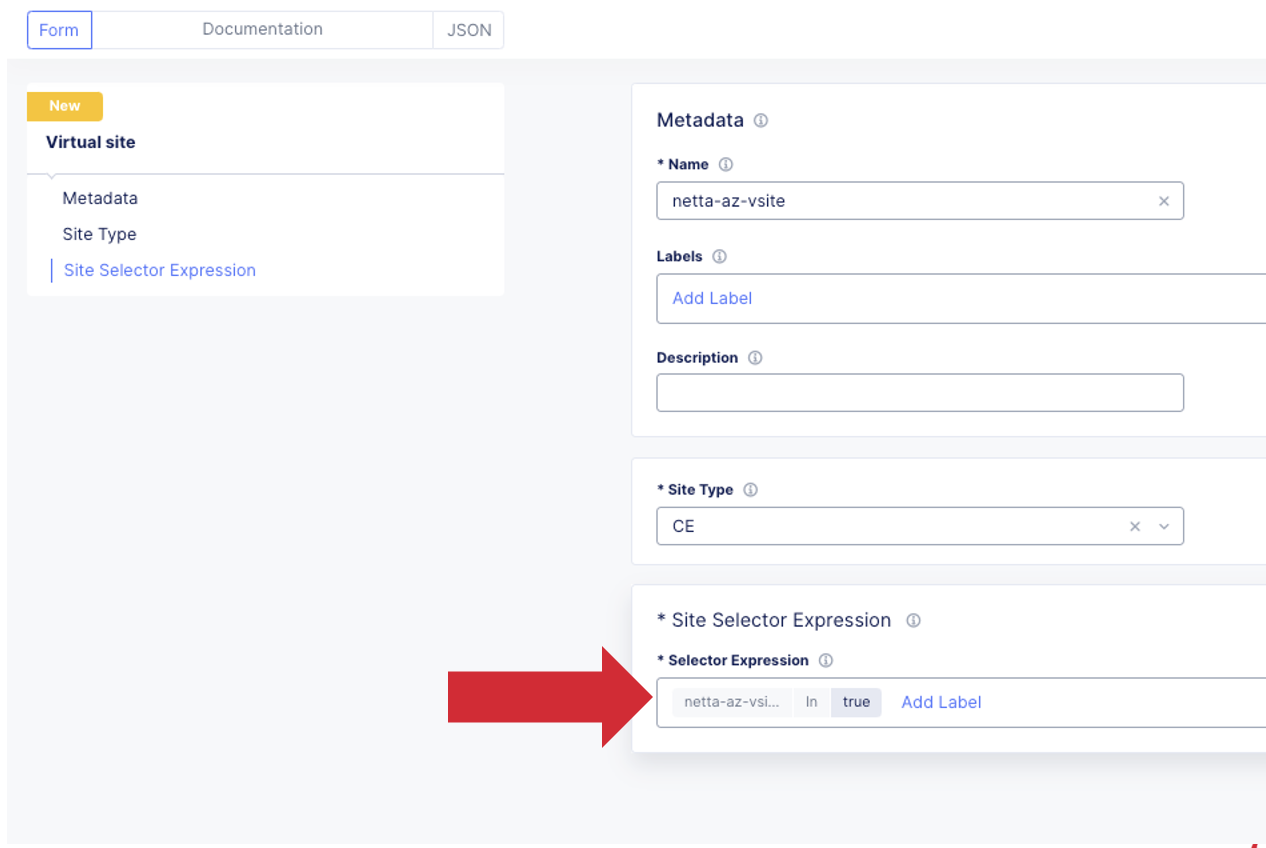
Provide a Name, Description, Site Type being Used “CE”, and Site Reg Expression
My example is key:value is (netta-as-vsite in true)
Next we will Add Virtual Site Label to Existing CE Cluster Sites (centos and rhel)
Go to Multi-Cloud Network Connect
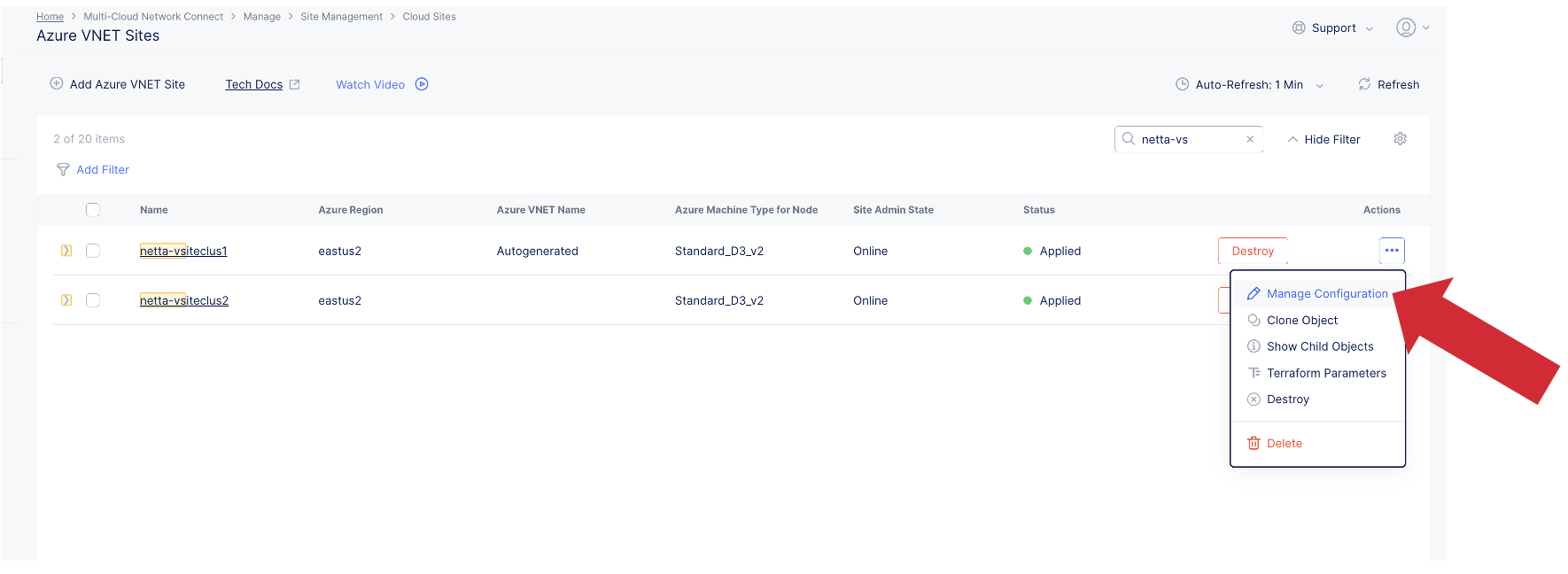
Go to site management (“Site Management” will depend on how you deployed the site initally. it could be a Generic Site, Cloud Deployment site, or Secure Mesh Site) once in the correct management object click on the 3 ellipses at the right and go to Manage Configuration.
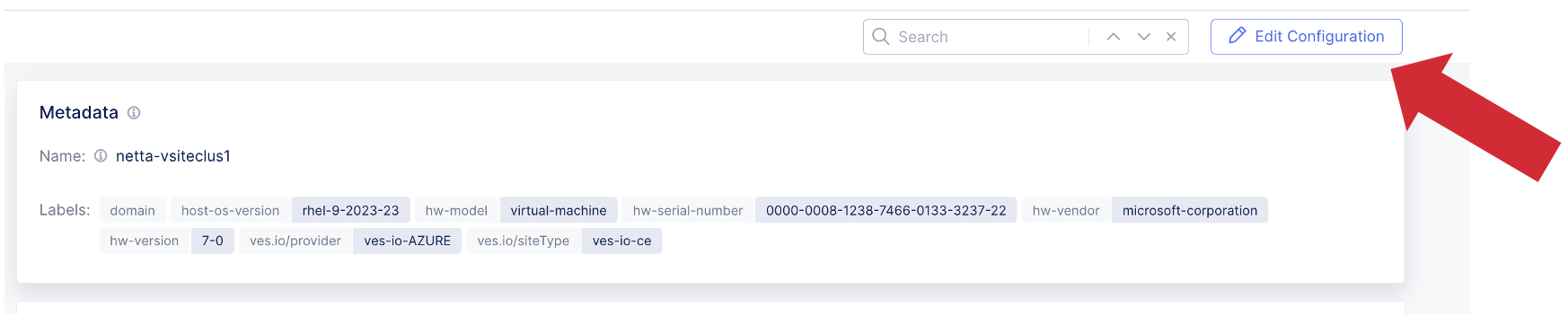
Right hand corner Edit Configuration
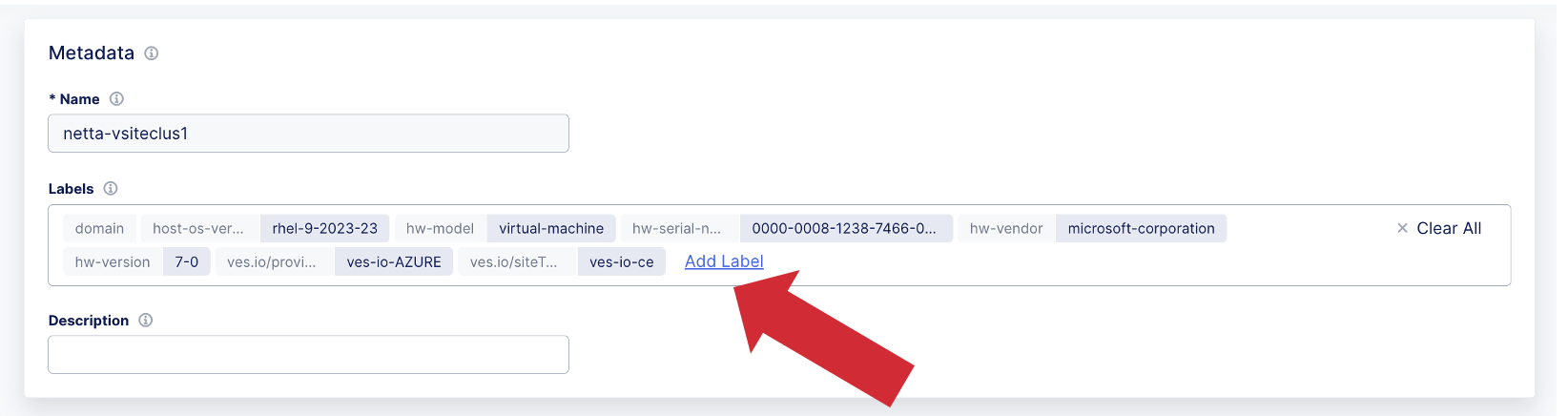
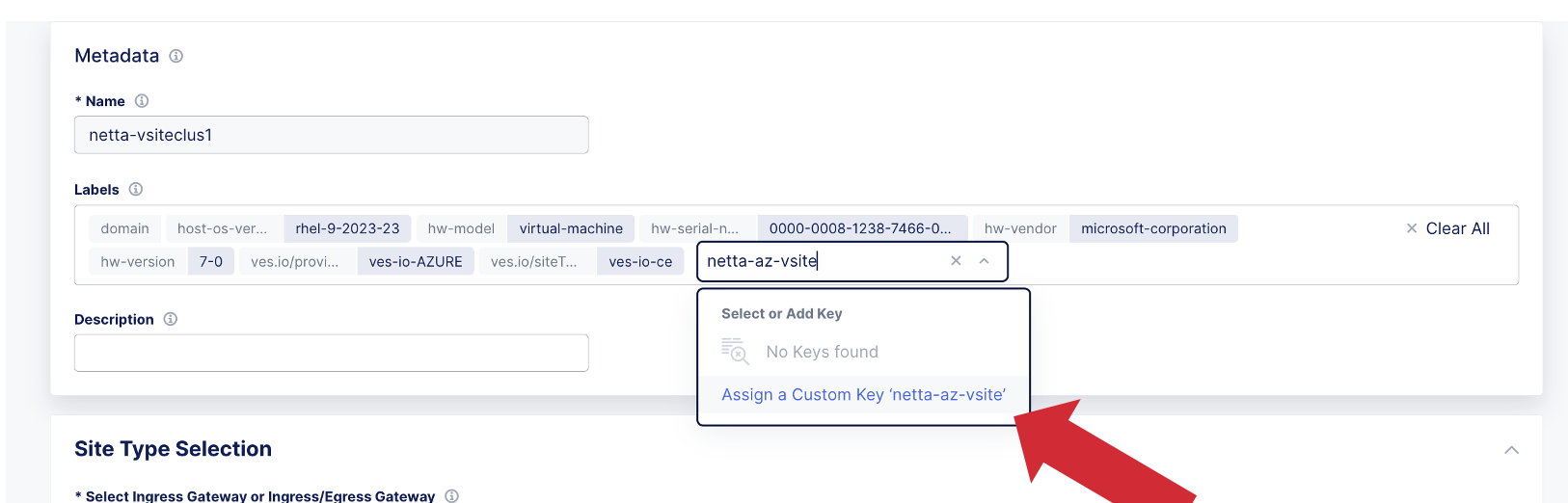
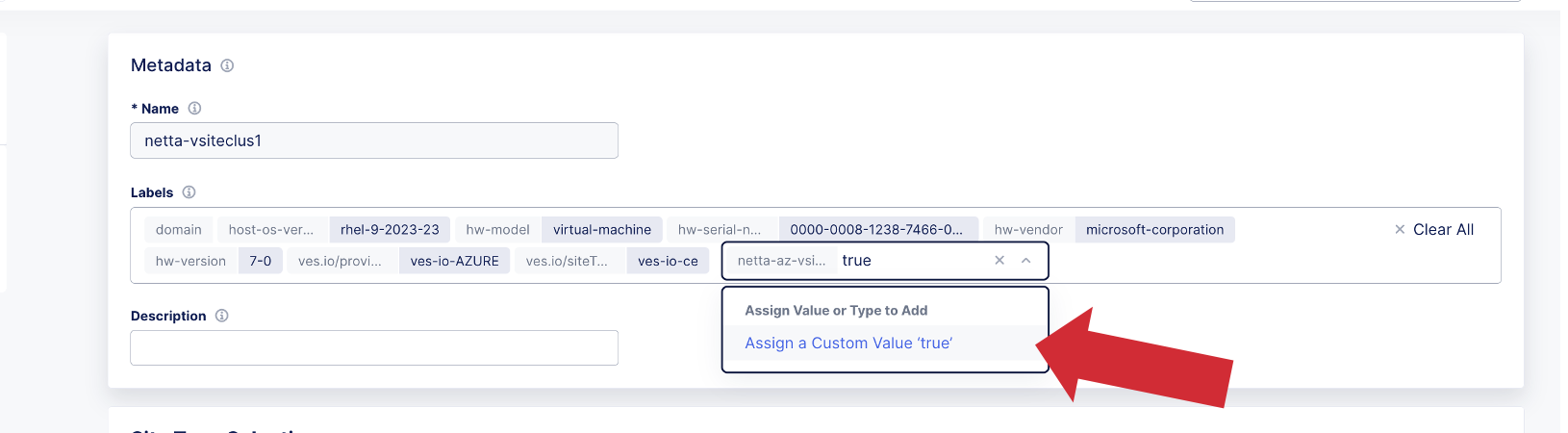
Add virtual Site Label
Type in the Key from “Site Selector Expression” my example is ”netta-az-vsite” and click Assign a Custom Key (netta-az-vsite)
Type in Value from “Site Selector Expression” my example is ”true” and click Assign a Custom Value (true)
Proceed with these steps for all sites that will become members of this virtual site.
Virtual Site Origin Pool Configuration and Validation of Virtual Site Endpoint Discovery
Now that we have our virtual site configured we need to configure the origin pool and perform discovery of the endpoints from the virtual site.
Navigate to “Multi-Cloud Application Connect” title
Go to Manage- Load Balancers- Origin pools
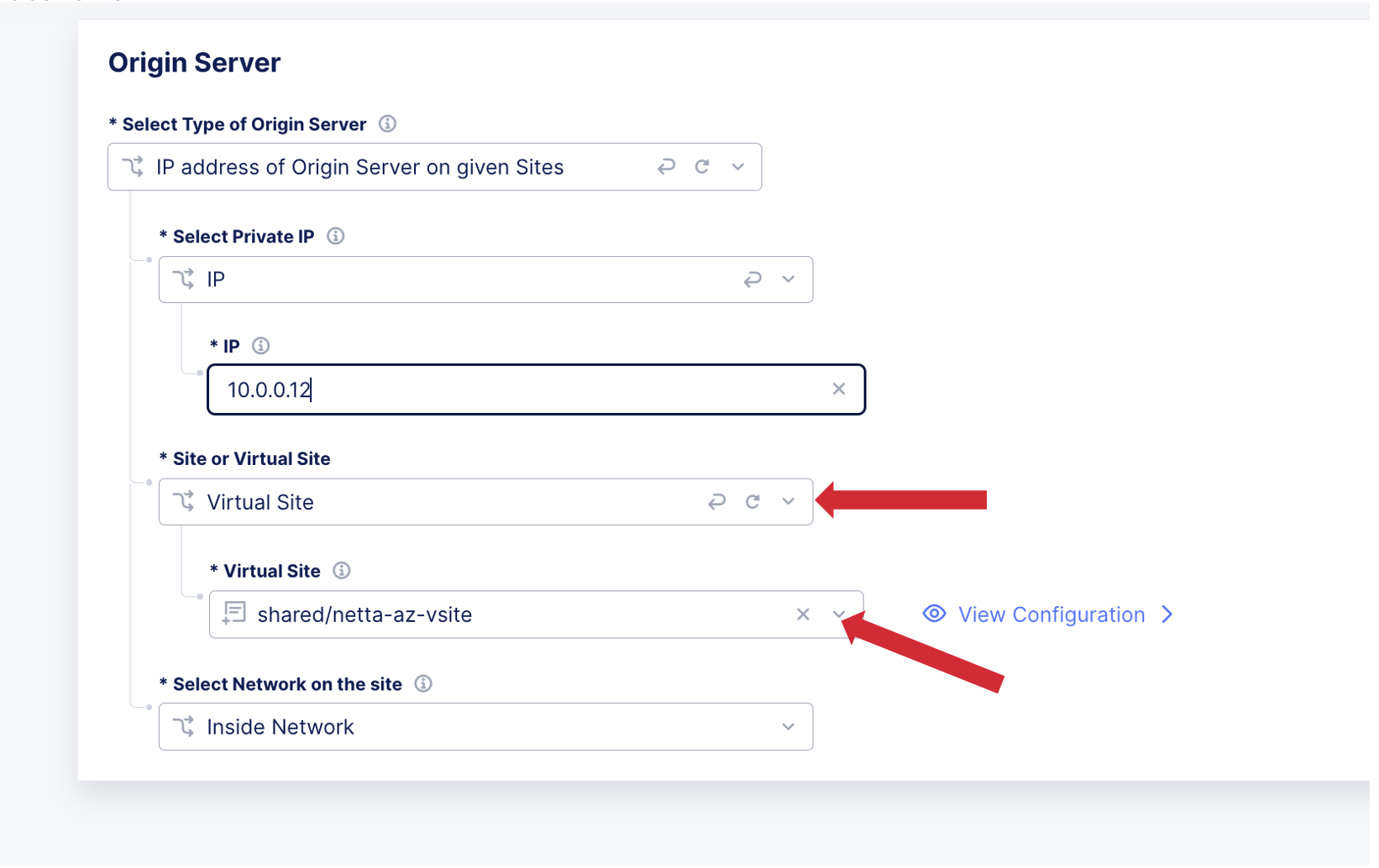
In origin pool configuration choose the discovery method (typically IP or DNS but other options are available) of Origin on given sites
Under Site or Virtual Site choose Virtual Site and pick your virtual site from drop down menu (my example is the key of the regular expression we created earlier “netta-az-vsite”)
Rest of origin pool config should be the same as the existing non virtual site origin pool
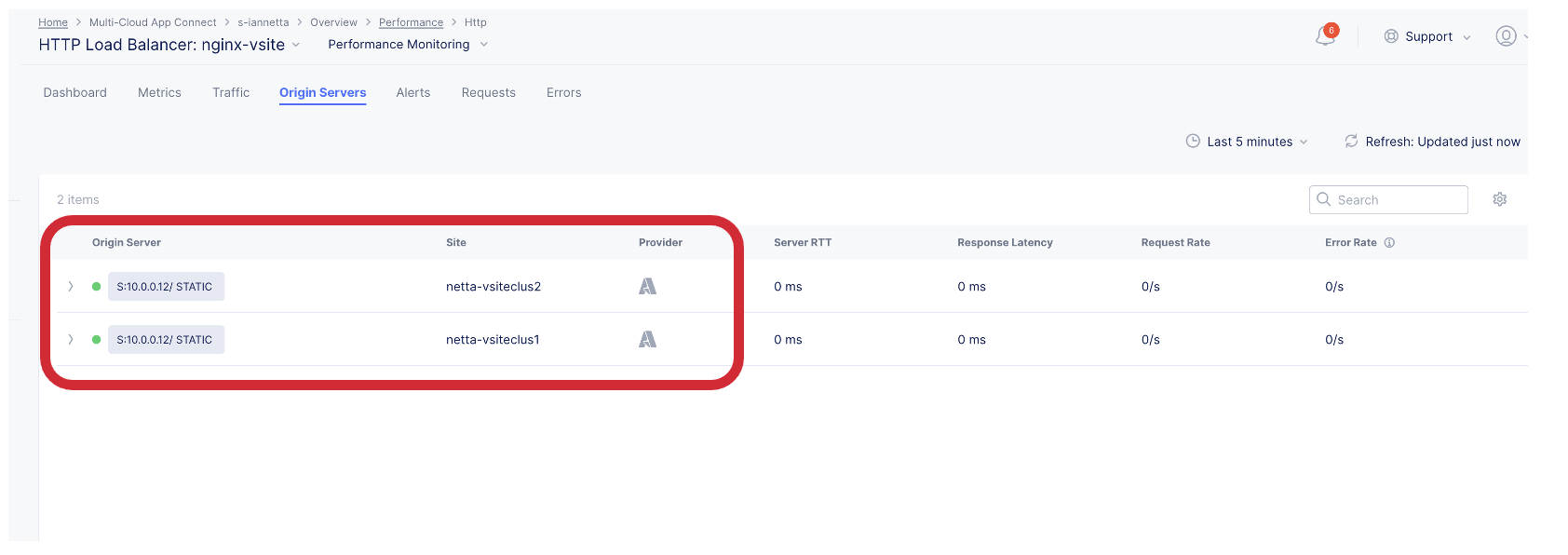
In this step we will validate the origin pool is healthy from the virtual site.
Go to HTTP LB Performance
Click on Origins Servers and you should see 2 origins one form each site making up the virtual site (my examples are netta-vsiteclus1 and nettavsiteclus2)