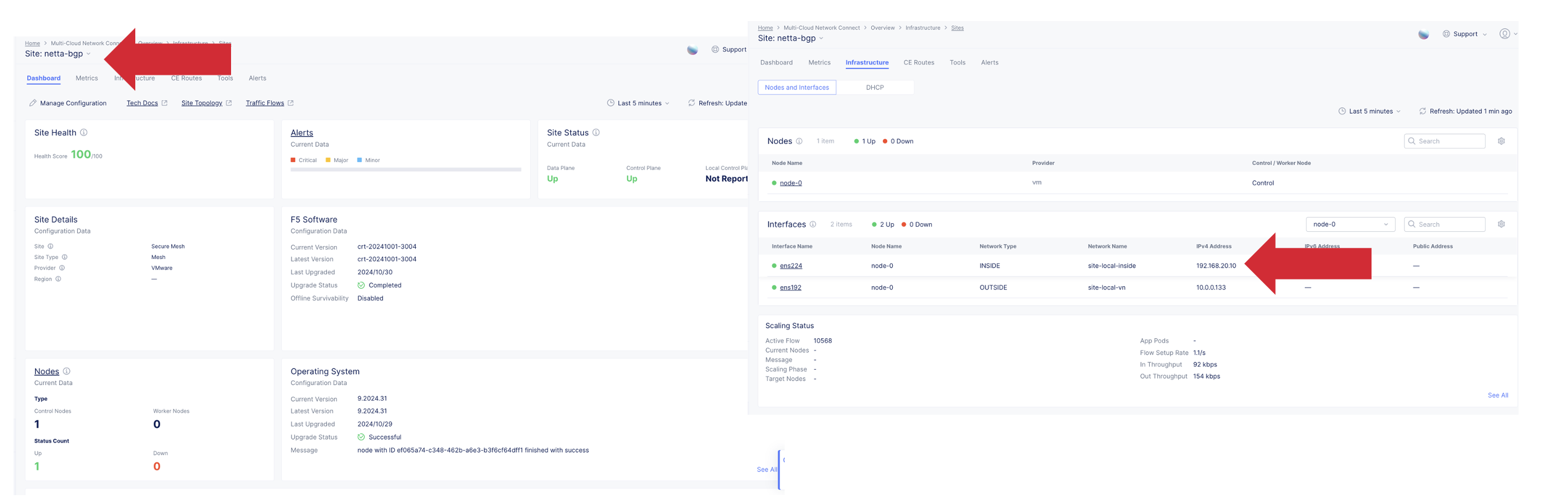
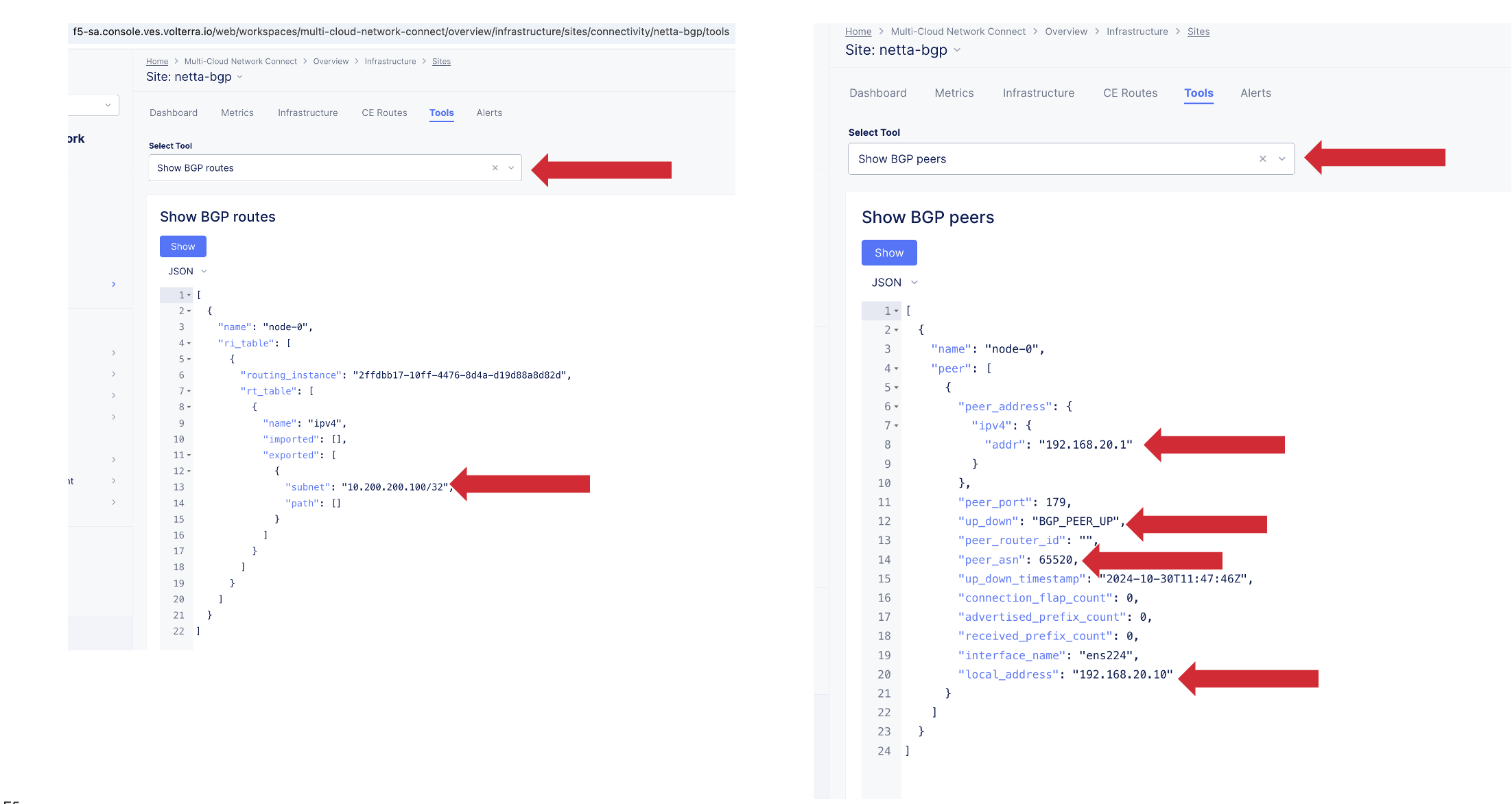
As stated and shown above in the prerequisite and topology sections we have the following setup:
Distributed Cloud Site configured with the Secure Mesh Site Version 2 (SMSv2).
Our example we will use a vmware site (called netta-bgp) configured with SMSv2 and 2 interfaces ens192 (SLO) and ens224 (SLI)
We will use ens224 to establish BGP with a VYOS Router
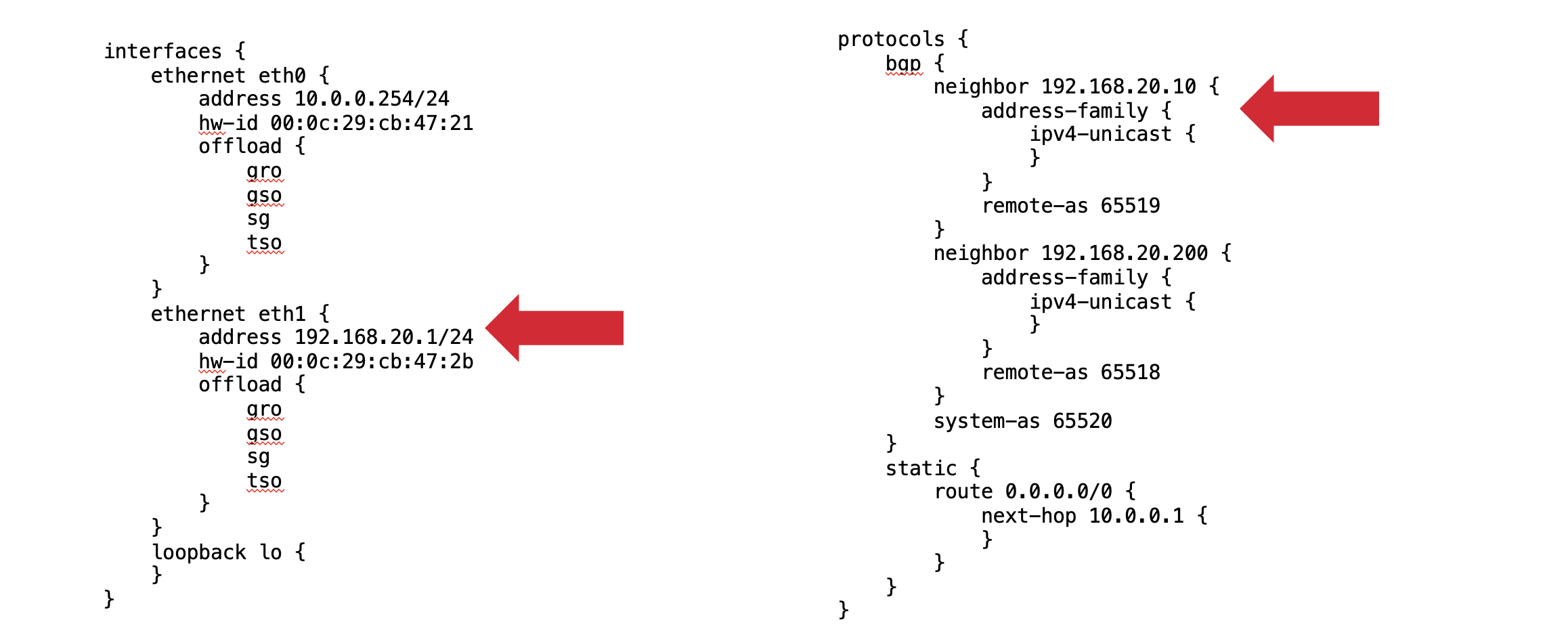
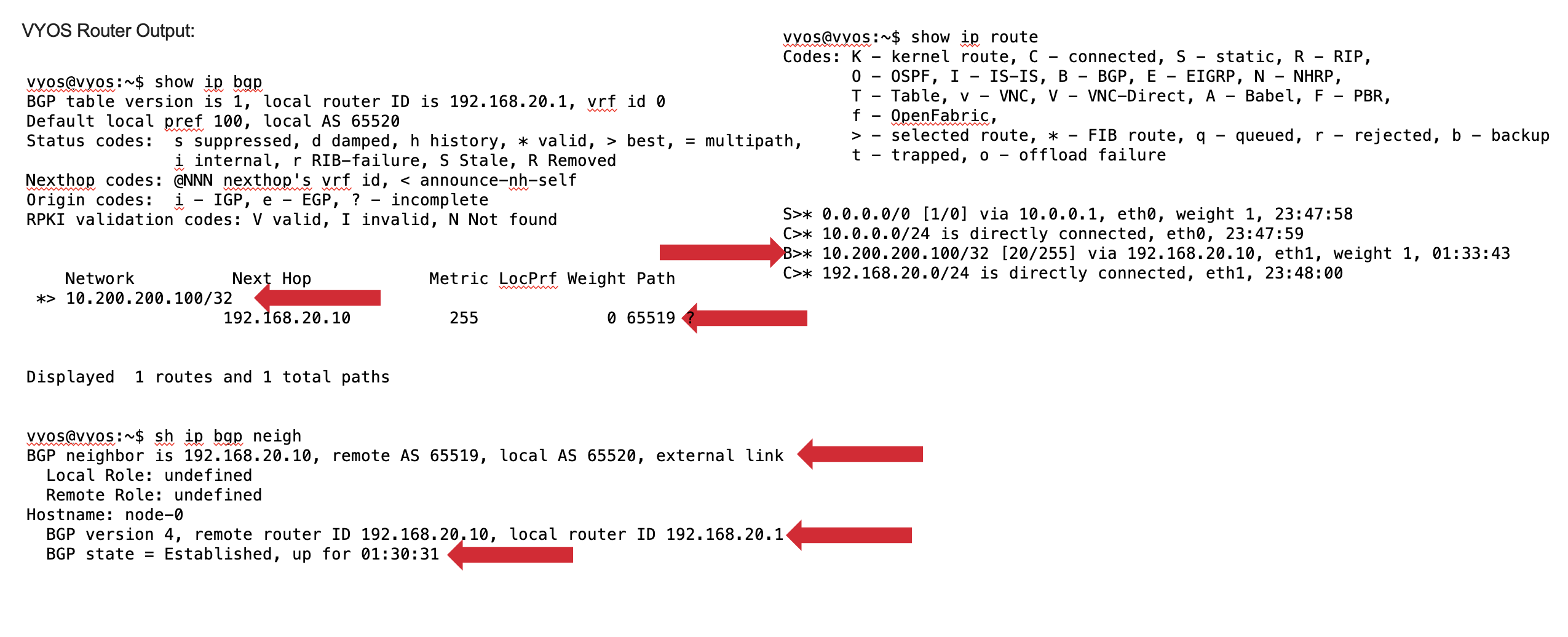
Vyos Config:
VYOS Router configured to establish BGP on ethernet 1 interface peering to IP 192.168.20.10 and remote ASN 65519 with local ASN of 65520.
In my config example I have 2 peers in the configuration we will only focus on the one
Distributed Cloud BGP CE Config:
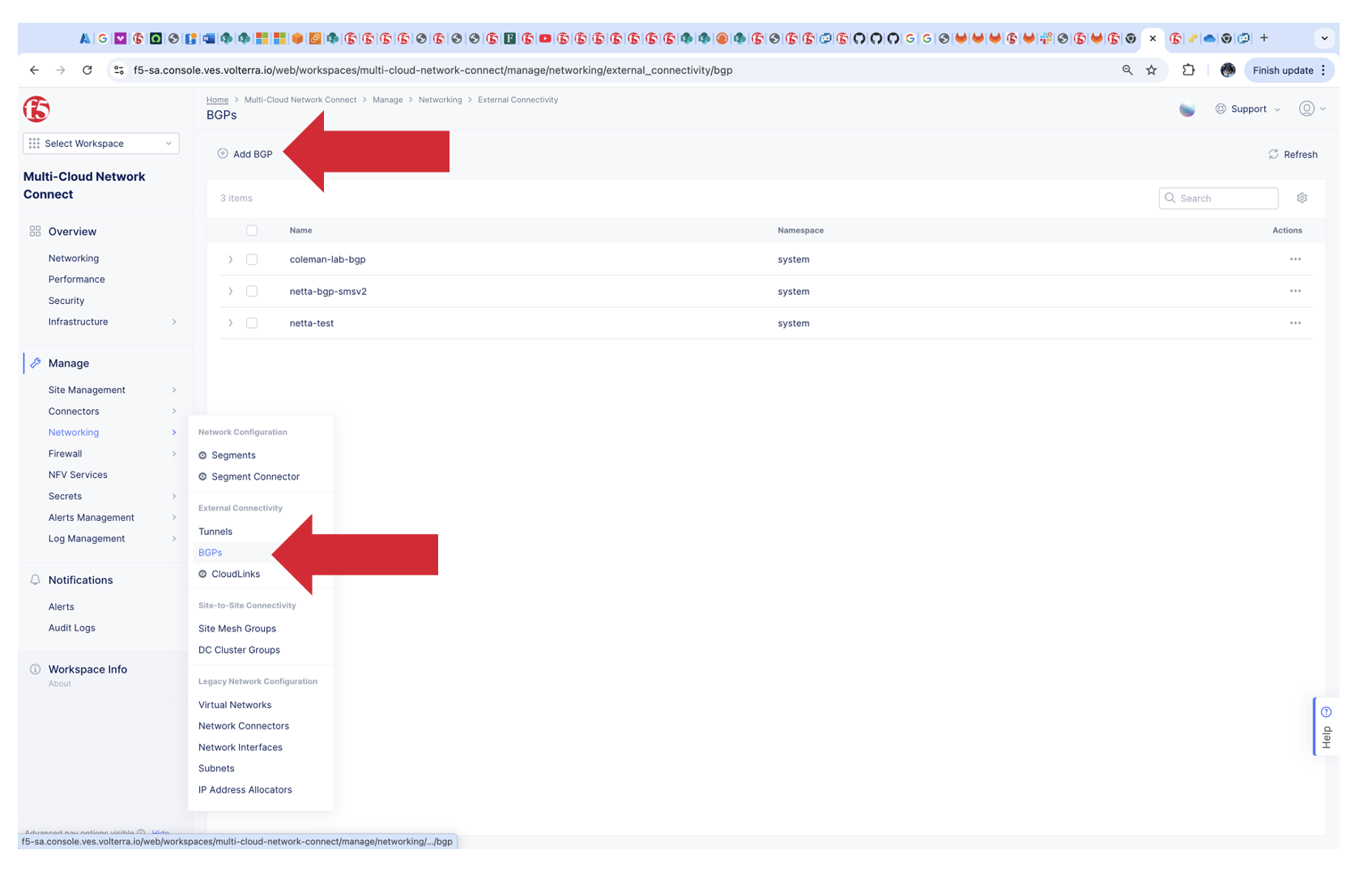
Goto Multi-Cloud Network Connect
Networking
BGPs
Add BGP
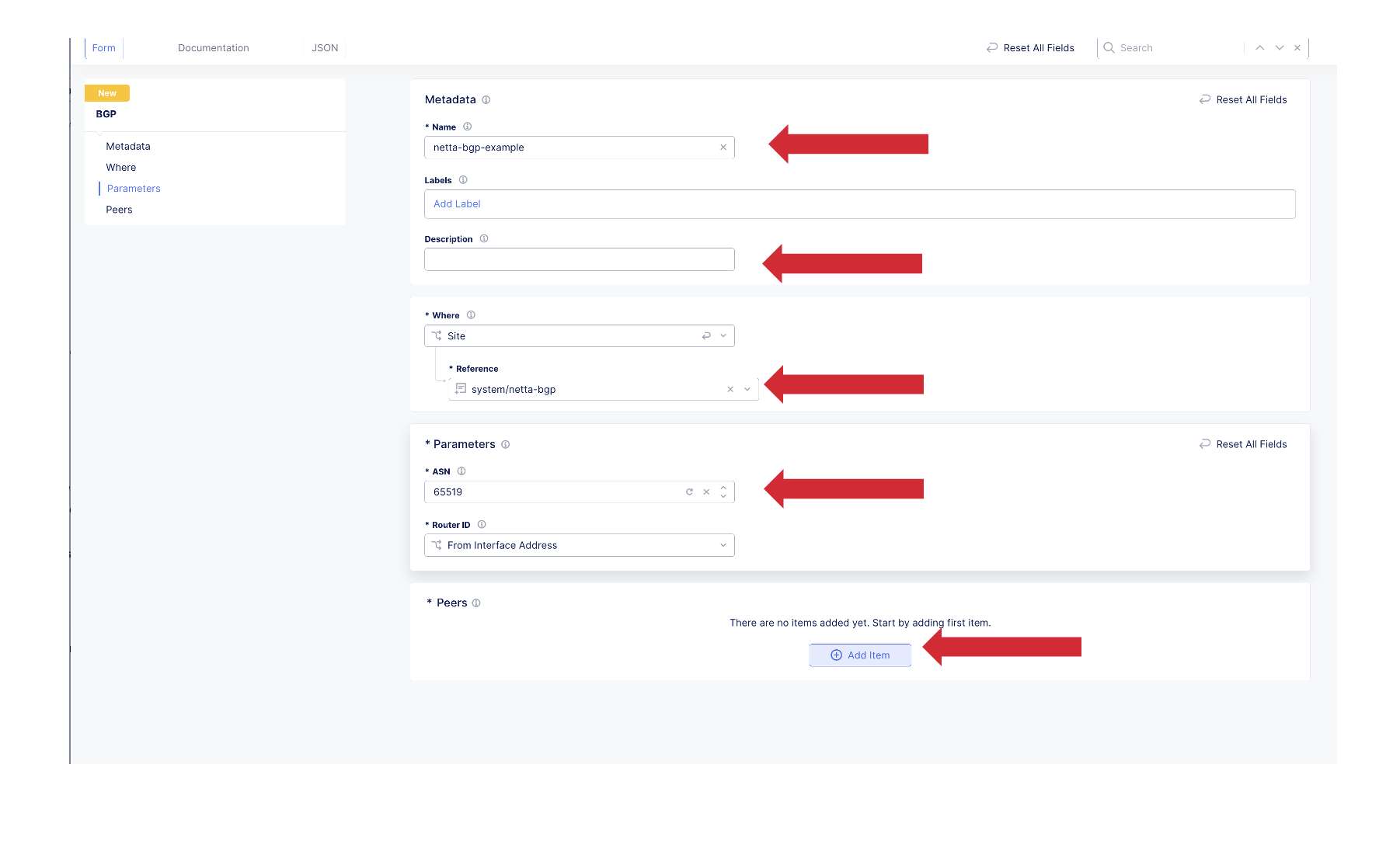
On the BGP Screen Provide:
Name
Description (optional)
Site
Example site - netta-bgp
ASN
Example ASN-65519
Router ID
Example From Interface Add
Peers
Add Item
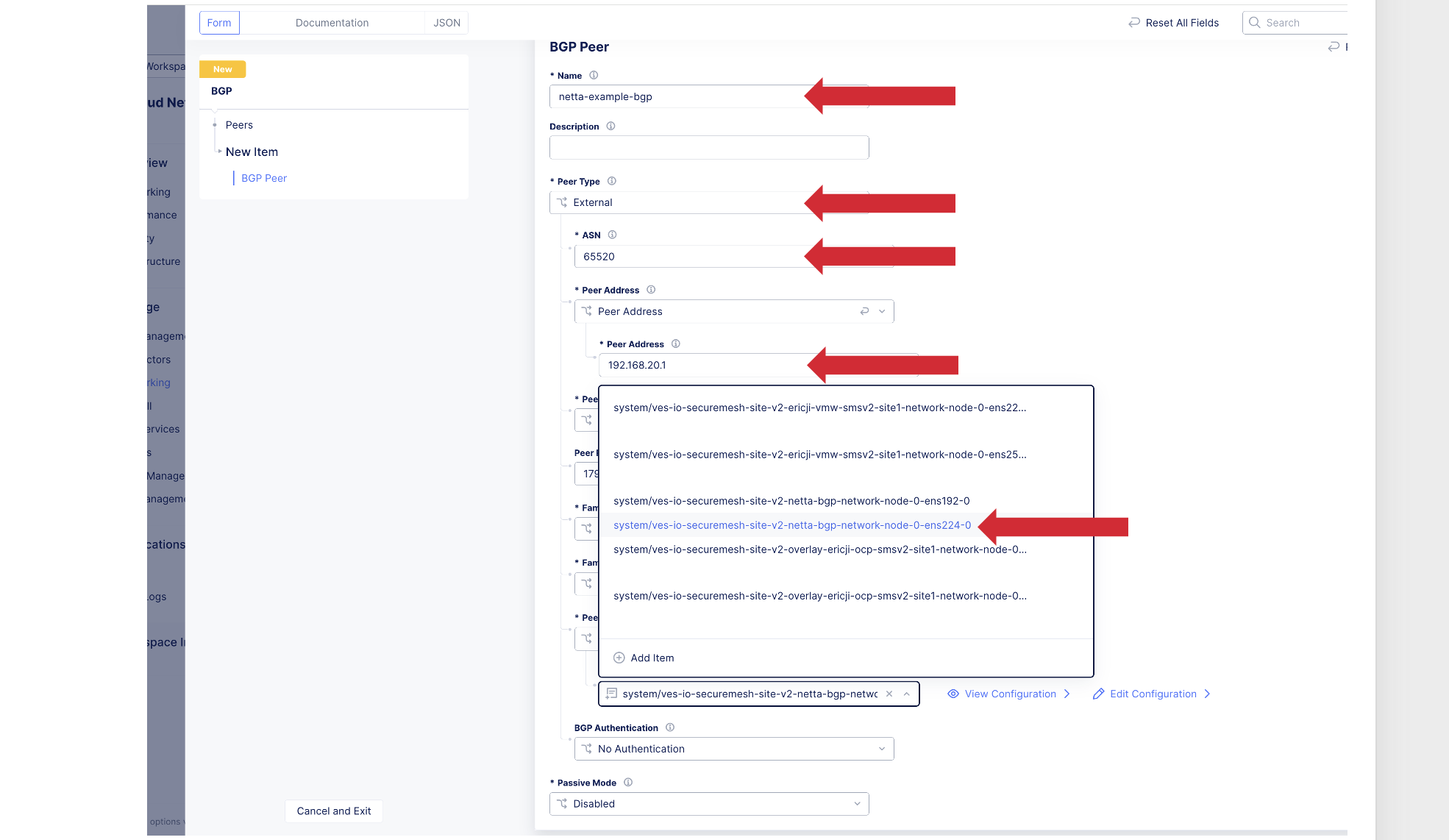
On the BGP Screen Provide:
Name
Description (optional)
Peer Type
External
ASN
Example 65520
Peer Address
Example 192.168.20.1
Peer Port
179
Peer Interface
Chose interface on CE my example is ens224.
If using a 3 node cluster or a multi-node virtual site you need to configure for each node interface individually
Apply
Bottom Right
Save and Exit
Now that we have established a BGP peering relationship between the Customer Edge and Vyos Router we need to create a HTTP LB with a healthy origin to advertise the /32 VIP into the network
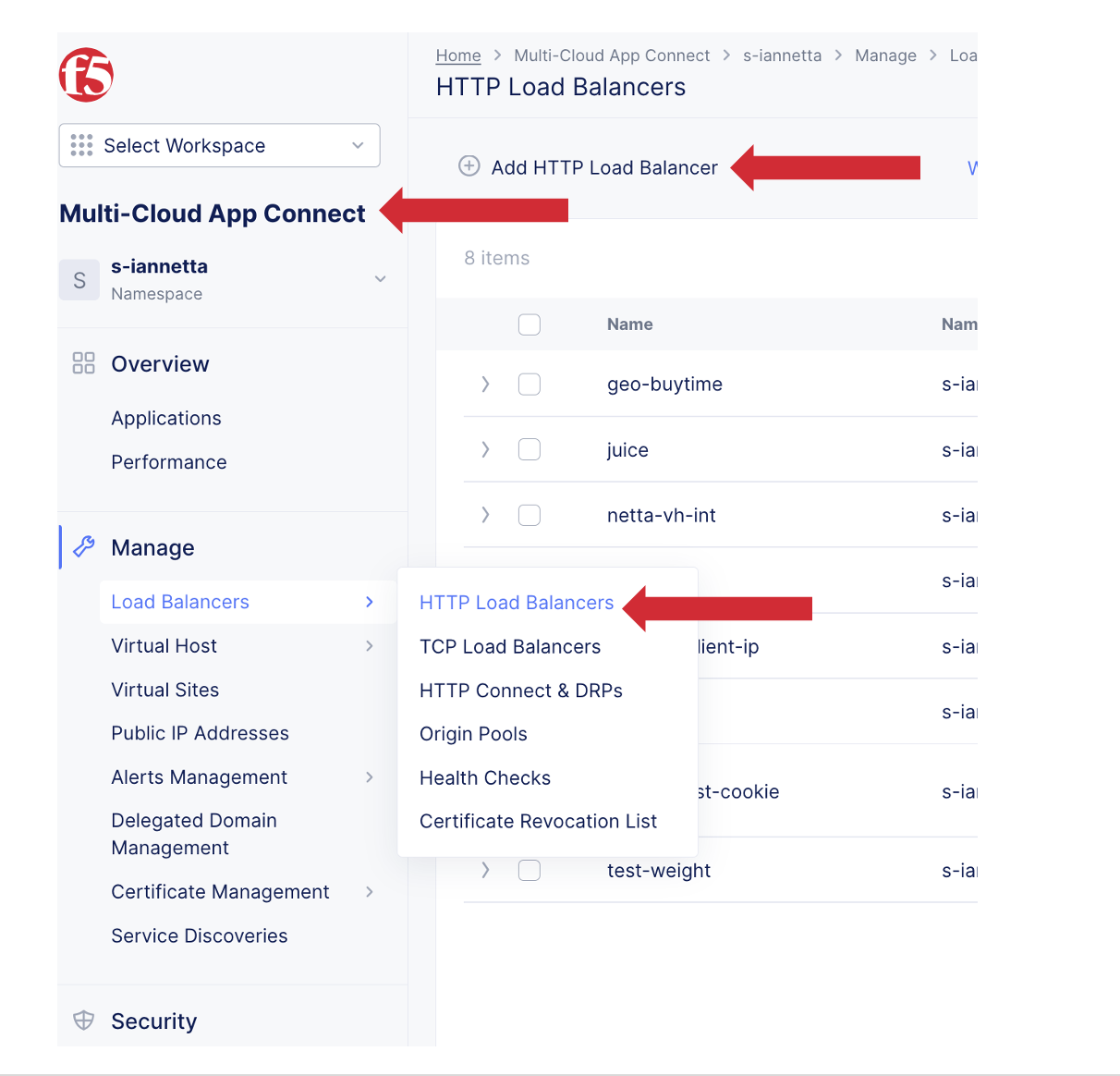
Goto Multi-Cloud App Connect
Manage
HTTP LB
Add HTTP LB
Fill out HTTP LB Values
Include an active or healthy origin
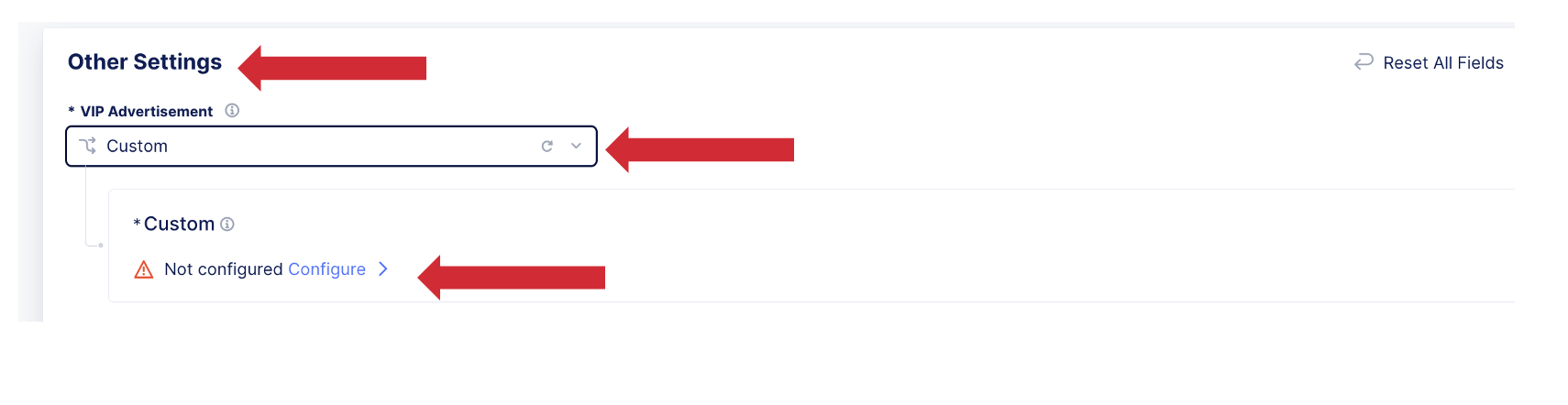
Goto Other Settings
VIP Advertisement
Custom
Configure
Select Site
Choose which network to Advertise the VIP on my example is the Inside