F5 Distributed Cloud Source | Edit on
Introduction
This document outlines the three primary methods customers can use to configure DNS settings to point to our cloud load balancers. It also highlights which options provide support for automatic certificate management. Understanding these methods is critical for ensuring seamless traffic routing and securing connections with managed certificates, enabling efficient and secure load balancing in XC.
Configuring DNS Delegation to XC
There are 3 options for getting clients resolved appropriately to the XC Cloud Load Balancer.
“A” record Modification (BYOC - bring your own cert)
CNAME Delegation (BYOC)
Subdomain Delegation (Auto Certificate supported)
In all three examples below, Godaddy is playing the role of both Name Registrar and Primary DNS.
“A” Record Modification Example
“A” record modification is quick and straightforward to configure. Similar to setting a host file on your local system.
Note
Auto Certificate management not supported in this configuration. BYOC.
Overview
Godaddy DNS is authoritative for myfselab.com.
An “A” record exists in Godaddy DNS for site1.myfselab.com.
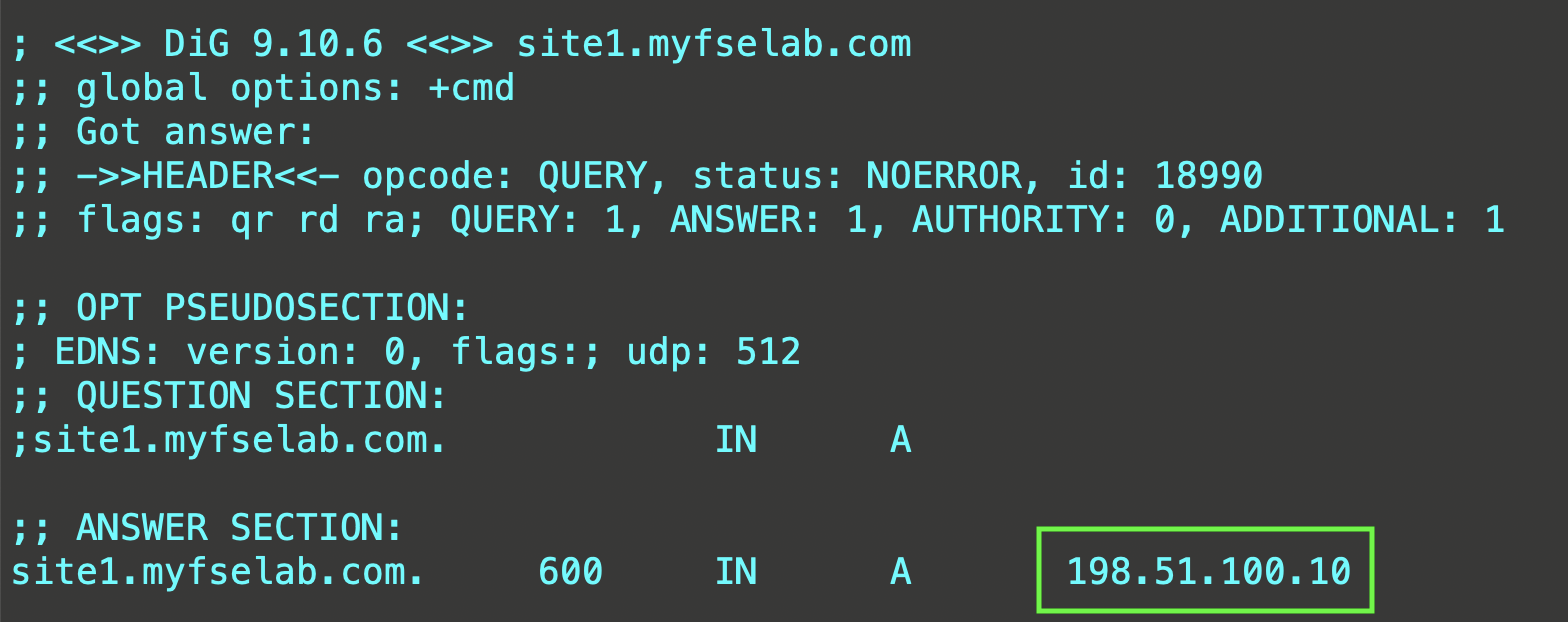
Create an XC-LB. Example domain is: “site1.myfselab.com”
Retrieve XC public IP from LB JSON (get_spec->DNS Info->IP Address)
Modify “A” record in GoDaddy to point to XC IP
Verify
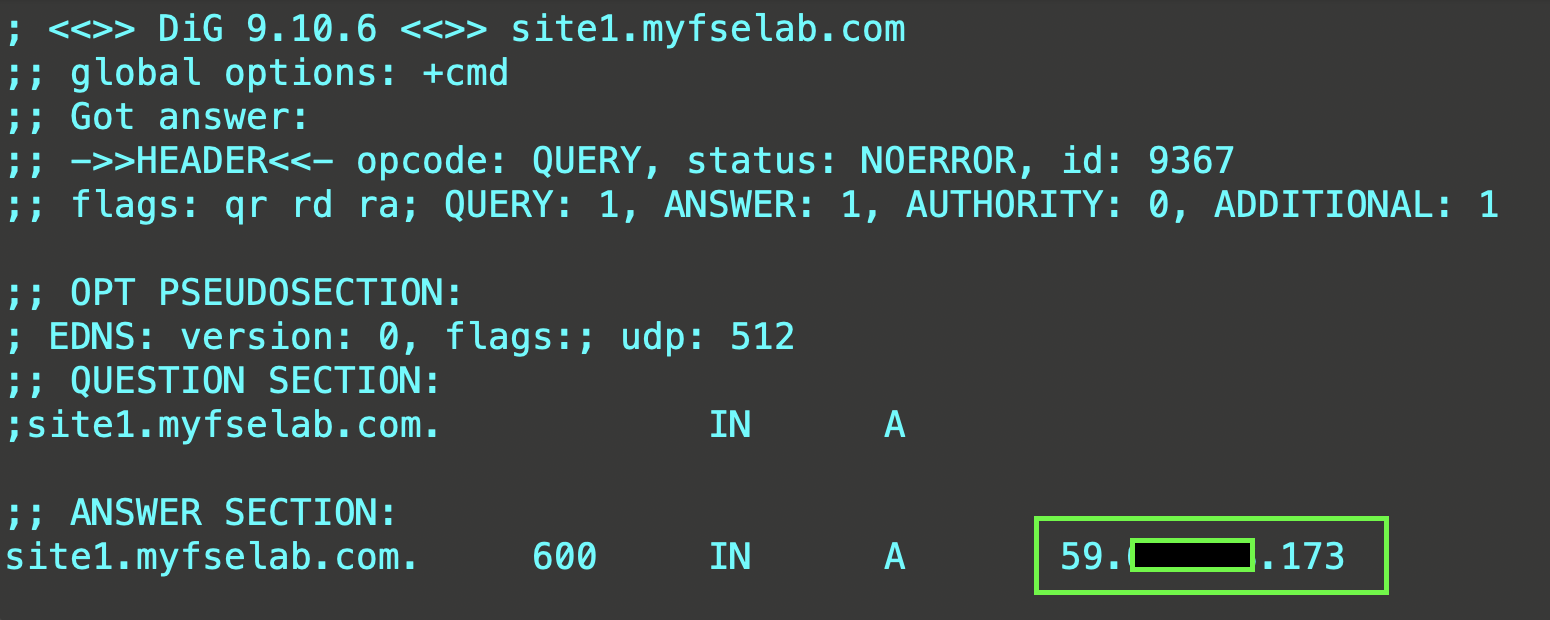
CNAME Delegation Example
Overview
Godaddy DNS is authoritative for myfselab.com.
An “A” record exists in Godaddy DNS for site1.myfselab.com.
Note
Auto Certificate management not supported in this configuration. BYOC.
Create an XC-LB.
Retrieve XC LB CNAME.

Copy the CNAME.
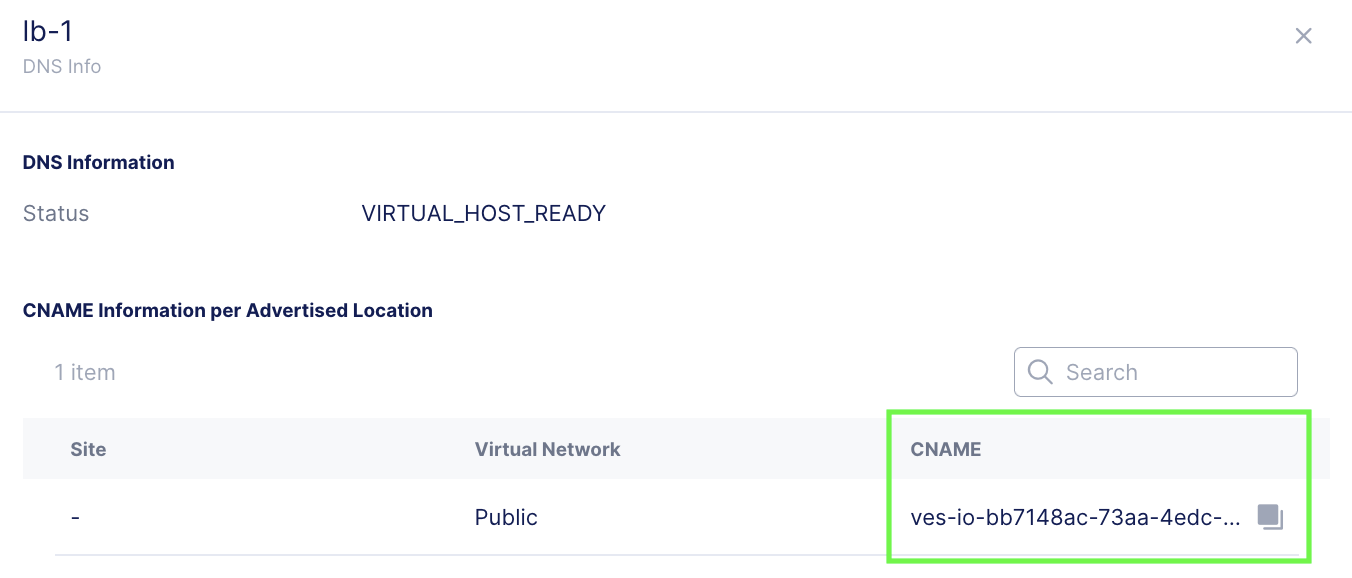
In Godaddy, delete the existing “A” record for site1.example.com and create a CNAME record pointing site1 to the XC CNAME.

Verify.
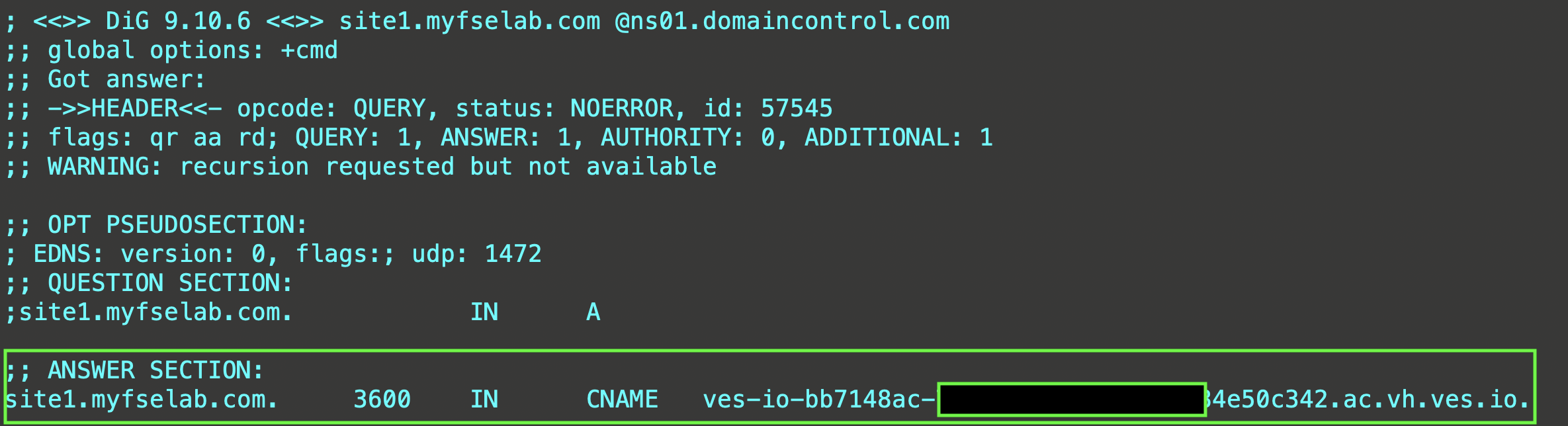
Subdomain Delegation Example
Overview
Godaddy DNS is authoritative for myfselab.com.
No records exist in Godaddy DNS for site1.myfselab.com.
Note
Auto Certificate supported in this configuration.
Add subdomain to be delegated site1.myfselab.com as a primary domain in XC DNS.
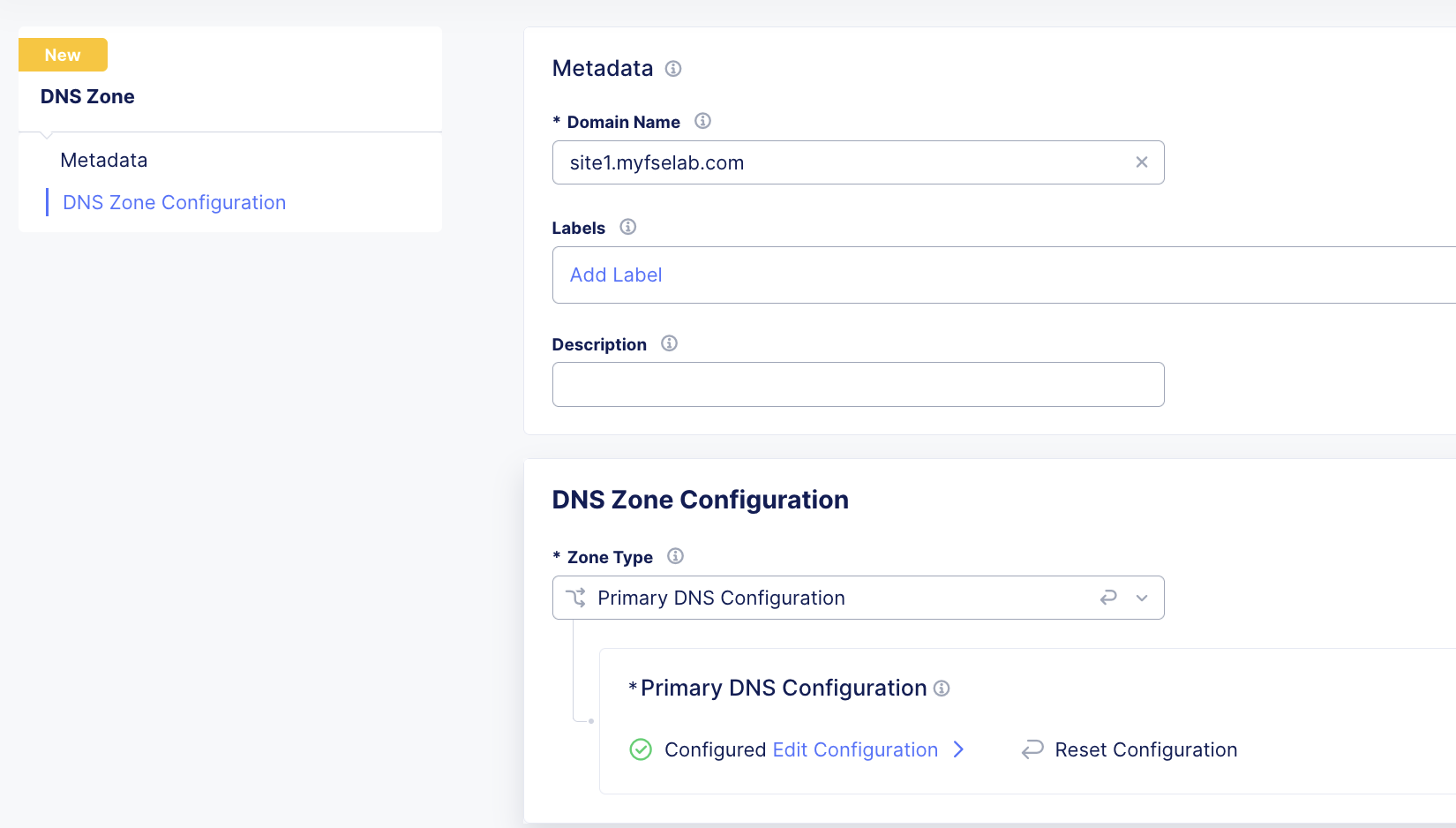
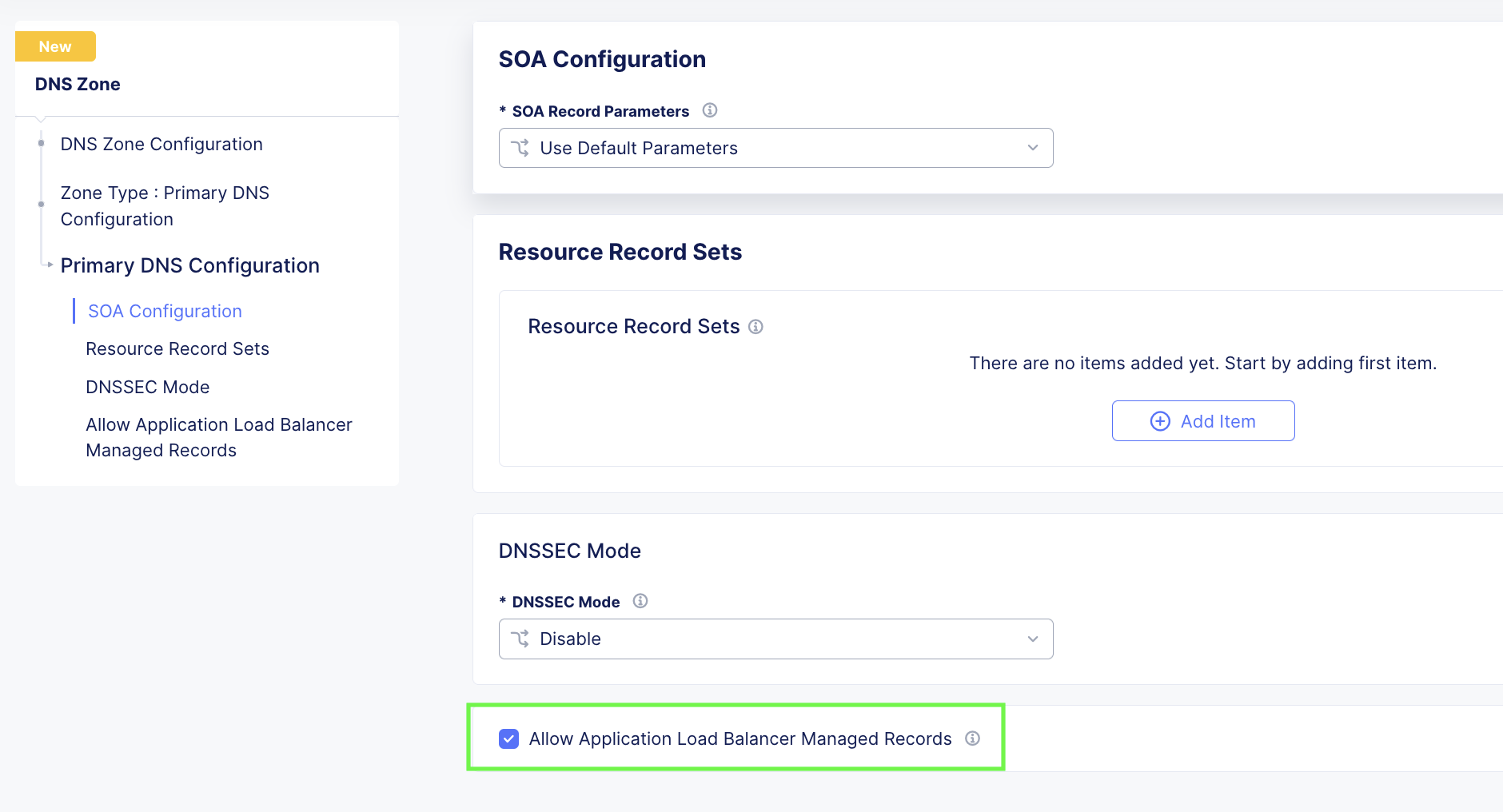
Make sure to check the box for: “Allow Application Load Balancer Managed Records” under the Primary DNS Configuration options.
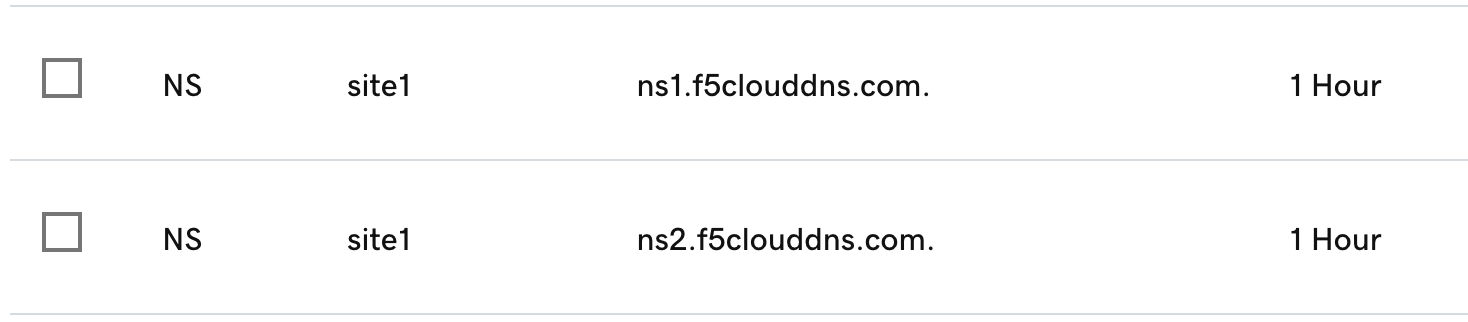
In GoDaddy, add F5 Cloud DNS Server NS records with a delegation to site1.
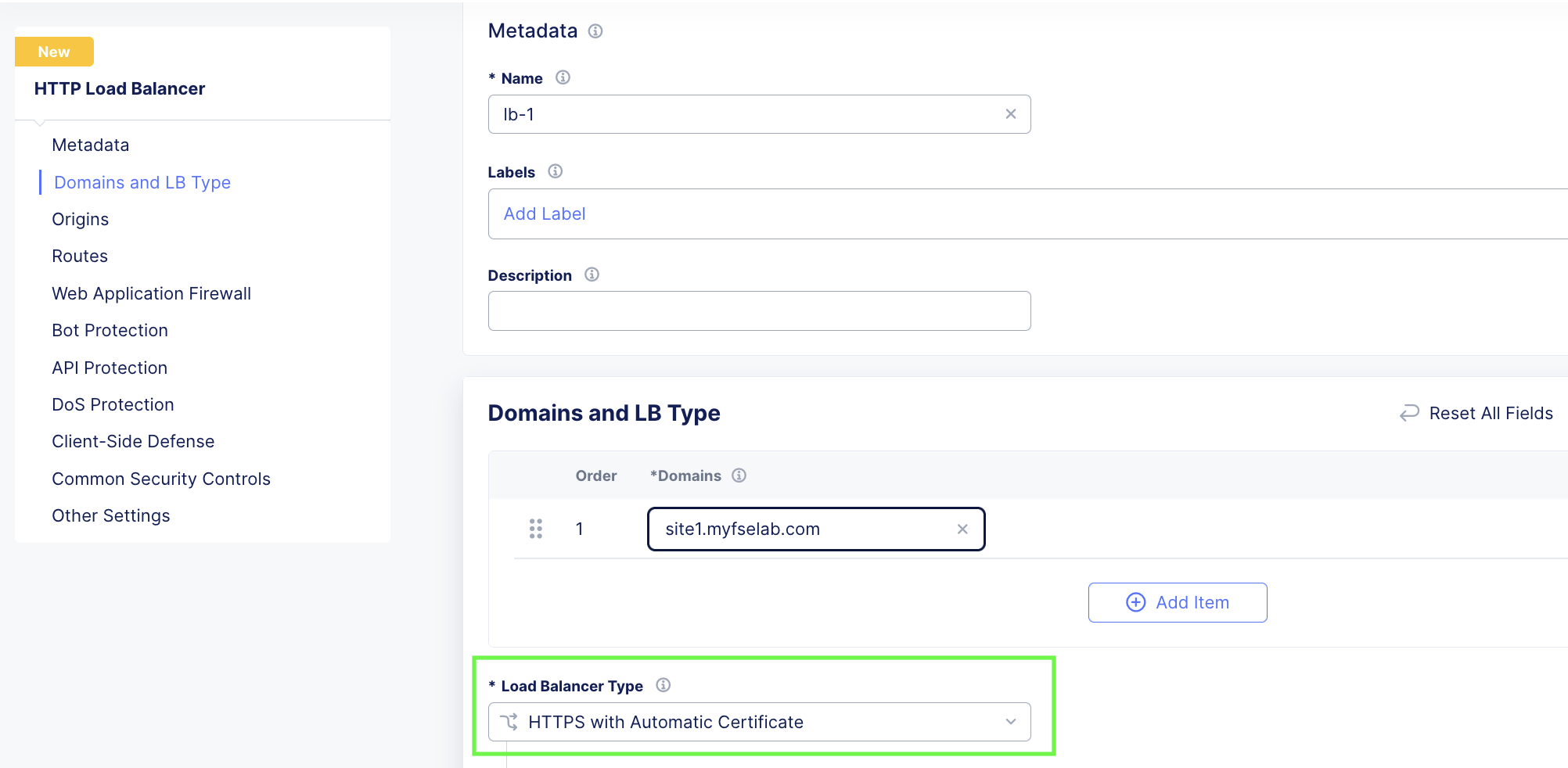
Create LB object with auto-cert enabled. EX: site1.mytest.myfselab.us.
Verify - The cert generation process can take a few minutes. You will see it in a pending state. Click on the “i” for more info.

Success.
